
Libraries
Organize and share company resources, documents, forms, and links in curated library collections.
MangoApps
Meet the agent
This app ships with a production AI agent — permission-aware, tenant-scoped, audit-logged, and governed by the Agent Development Lifecycle.
Libraries AI
Cross-library search · use-case recommendations · governance + gap reports.
Overview
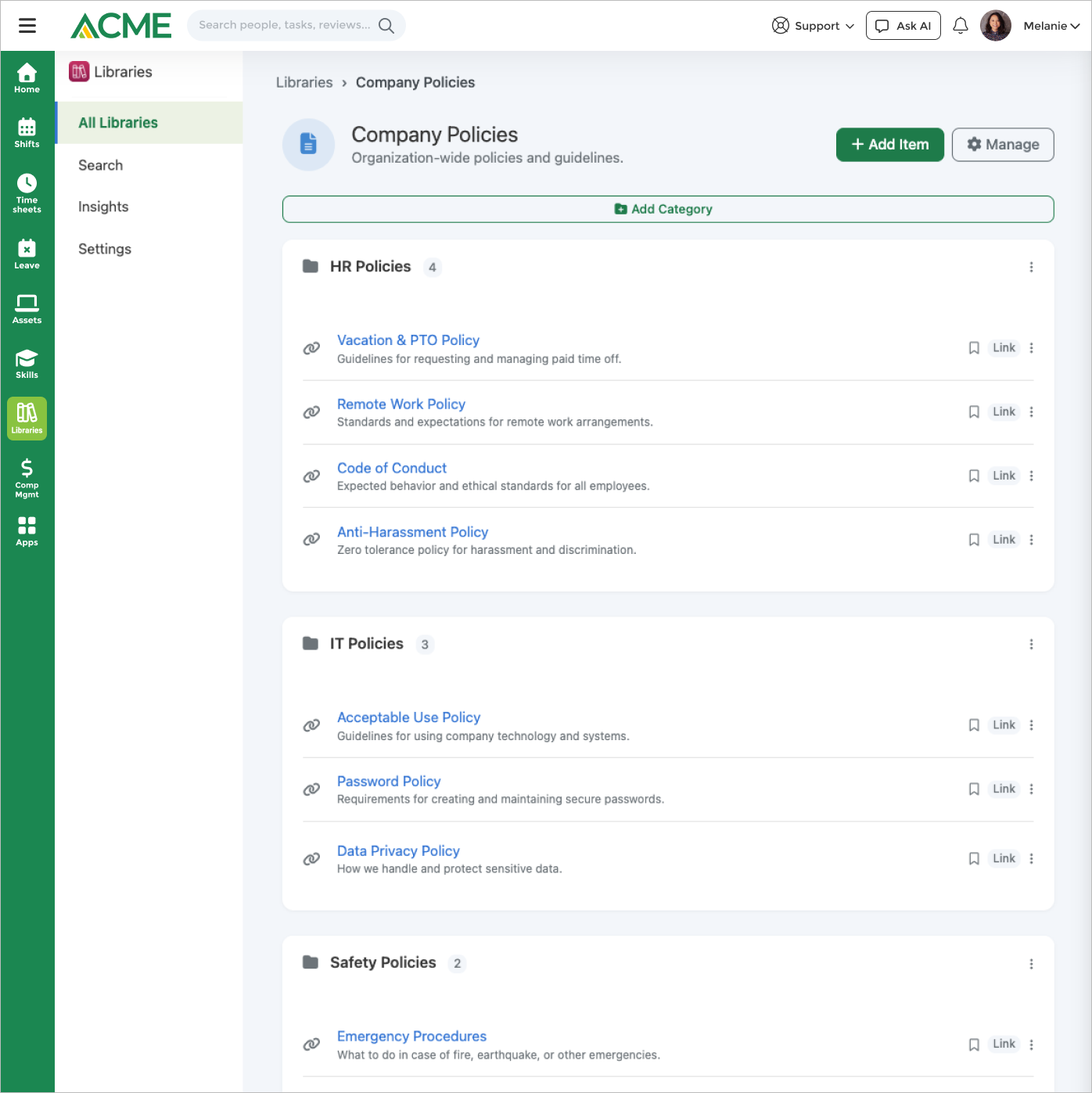
A library item can be a real record, not just a bookmark. Alongside external links, files, images, and video, a library can point directly at an internal form, survey, wiki page, or post — and the picker only offers records that are actually reachable, so a draft wiki or an archived form never becomes an item everyone else sees as broken. When the underlying record is later archived or deactivated, the item shows as unavailable instead of quietly linking into a dead end.
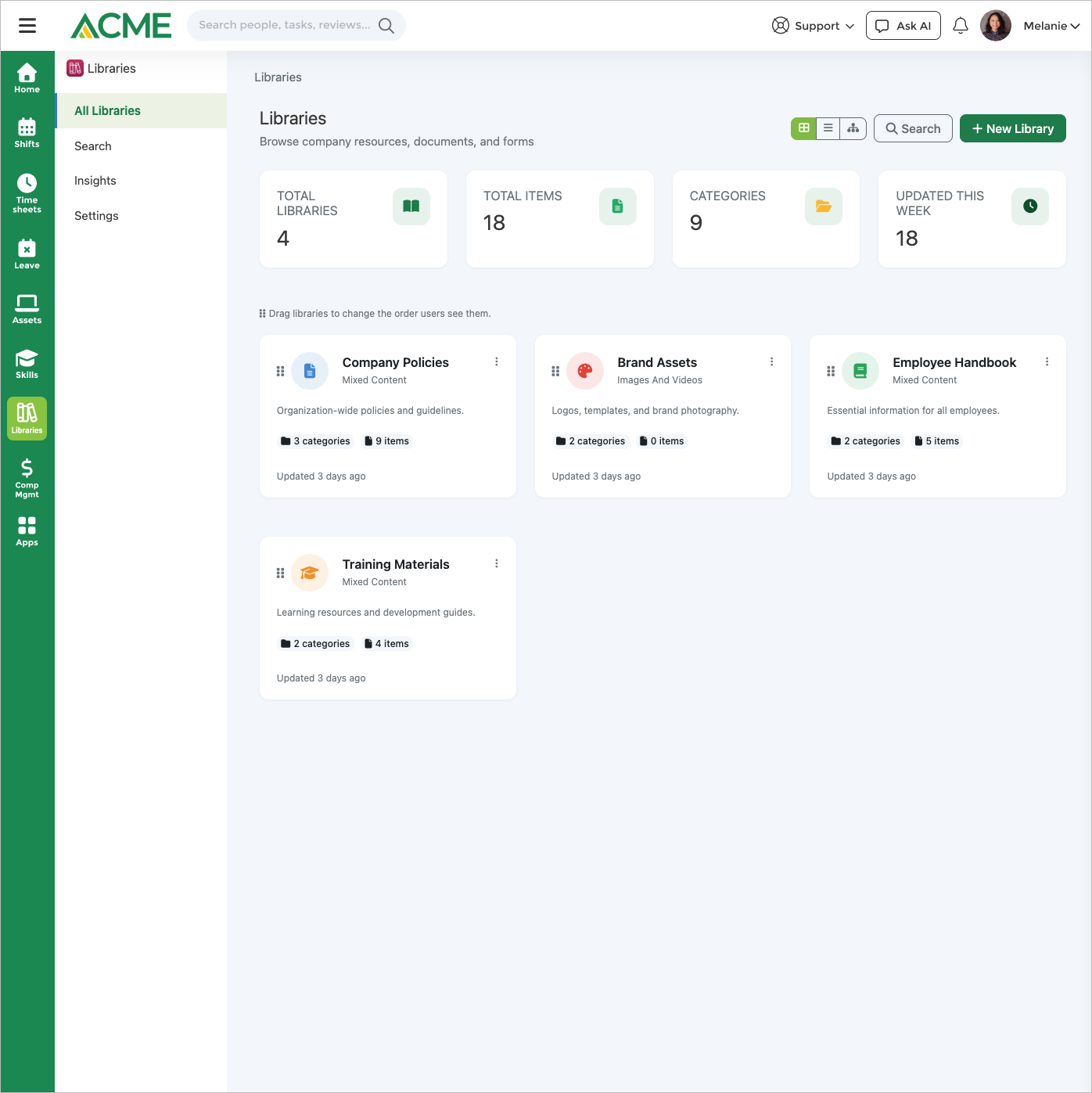
Each library is targeted rather than published to everyone. Audience rules resolve by department, location, group, job title, organizational role, or named individual, while curation is governed by the library's own management level rather than by the rule. Employees browse in a modern card view or a nested tree, search across every library they can see, and bookmark what they use often; the same content is reachable on mobile and through a browser extension that clips a page straight into a library.
Curation is kept honest by the platform governance pipeline. When auto-governance is switched on, every enabled library is scanned on a review interval, broken links and stale items are flagged to the people responsible for that library rather than to every admin, and knowledge-gap analysis surfaces the searches employees ran that returned nothing — so the next thing to add is a measurement, not a guess. The Libraries AI agent answers in Ask AI over the same content using semantic search, with each capability group separately switchable and content-management tools admin-only and confirmation-gated.
See how teams build branded, audience-targeted library spaces that mix forms, surveys, wikis, files, links, and video — with drag-and-drop organization, semantic search, and governance reviews that flag broken sources.
Highlights
Capabilities
Library & Content Management
-
Multiple branded library spaces per business (name, description, icon, color)
-
Mixed-content libraries (links, files, forms, surveys, wikis, posts, media)
-
Image-and-video-only library type
-
Enable or disable a library without deleting it
-
Drag-and-drop library reordering
-
One-click sample data to explore the app
Content Types & Items
-
Item types: link, file, form, survey, wiki, post, image, video
-
Link to internal MangoApps forms, surveys, wikis, and posts
-
External URL links with new-tab / same-tab control
-
Per-item icon: platform default, emoji, or custom image
-
Upload image and video media directly onto an item
-
Drag-and-drop item reordering within a category
Audience Targeting & Permissions
-
Library visibility: all users or specific audiences
-
Audience rules by department, location, group, job family, job title, org role, platform role, or individual user
-
Audience rules carry no role — a rule grants visibility, curation is set by the management level
-
Named per-library contributors and managers, held separately from the audience
-
Management level: anyone, admins + named contributors/managers, or admins only A legacy domain-admins-only level exists on older libraries but can no longer be chosen
-
Admin-configurable default permission for new libraries
-
Disabled libraries stay reachable to managers but hidden from everyone else
Search, Discovery & Views
-
In-app search across item titles and descriptions
-
Semantic (vector) search when embeddings are available
-
Include libraries in the platform-wide global search
-
Browse by library and category
-
Search-query logging that feeds knowledge-gap analysis
-
App view modes: modern card grid and nested tree
-
Admin-configurable default view mode per business
-
Per-library default layout: grid, large, or compact
Content Governance & Health
-
Auto-governance mode with scheduled review reminders
-
Broken / inactive source detection (unpublished forms, inactive surveys)
-
Governance health report in the Insights dashboard
-
Knowledge-gap analysis from failed searches
-
Finding severity levels: Critical & medium
Libraries AI Agent
-
Ask-AI search, browse, and resource recommendations
-
Admin write actions: add, update, move, delete items and create categories
-
Governance and knowledge-gap reports via the agent (admin)
-
Granular capability toggles: search, browse, stats, content management
-
Per-business switch to turn the agent off
Notifications
-
In-app alert when a new item is added to a library
-
Email notification when a new item is added
-
Governance review reminders to library managers
-
Knowledge-gap analysis summaries to admins
Limits & Specs
-
Media upload max size per item: 100 MB
-
Library name max length: 100 characters
-
Governance review interval range: 7–365 days (default 90)
-
Accepted media types (image): JPEG, PNG, GIF, WebP, SVG
-
Accepted media types (video): MP4, WebM, QuickTime, AVI
-
Pricing: $2.00 per employee / month (license required)
Screenshots
Use cases
Resources
FAQ
Each library item can be an external link, an uploaded file, an image or video, or a direct link to an internal MangoApps form, survey, wiki, or post. Every item has its own title, description, and icon (default, emoji, or a custom image), and can open in a new tab or the same tab.
A library's visibility is either all users or specific audiences. Audience rules can target departments, locations, groups, job families, job titles, organizational roles, platform roles, or individual users, and every rule grants the same thing: the ability to see the library — a rule can no longer carry a curation role. Who may add and edit content is set separately, by the library's management level. With Anyone, everyone who can see the library can also curate it. With Admins plus specific users, only the people named on that library as Contributor or Manager. With Admins only, nobody else. (A legacy Domain admins only level exists on older libraries and can no longer be chosen.) A library's creator can always curate the library they made.
Drive is where you store and version the files themselves; Wikis is where you author long-form documents. Libraries sits on top: it's a curated, permissioned collection of pointers — links, forms, surveys, wikis, posts, and a few uploaded images or videos — organized into categories so employees can find the right resource without hunting across apps.
When auto-governance is on, Libraries schedules periodic review reminders and automatically flags broken or inactive sources (for example an unpublished form or an inactive survey) as critical or medium findings in an Insights health report. Knowledge-gap analysis reviews searches that returned no results so admins can see what content employees are looking for but not finding.
You can search across item titles and descriptions inside the app, and where embeddings are available Libraries also runs semantic (meaning-based) search. Admins can additionally include libraries in the platform-wide global search so results surface without opening the Libraries app first.
Uploaded media is capped at 100 MB per item. Images can be JPEG, PNG, GIF, WebP, or SVG; video can be MP4, WebM, QuickTime, or AVI. Library names are up to 100 characters and descriptions up to 500. Governance review intervals can be set from 7 to 365 days (default 90).
Libraries is a licensed add-on at $2.00 per employee per month, and it is also bundled into the Employee Experience suite and the Knowledge & Content pack — so if you already have one of those, it is included. Like every marketplace app it is disabled by default; an admin enables it per tenant and then publishes it to employees.