Workforce Bots
Create AI assistants from your documents that answer employee questions 24/7.
MangoApps
Meet the agent
This app ships with a production AI agent — permission-aware, tenant-scoped, audit-logged, and governed by the Agent Development Lifecycle.
Workforce Bots AI
Discover and query your configured Workforce Bots. Cross-bot search, scoped routing.
Overview
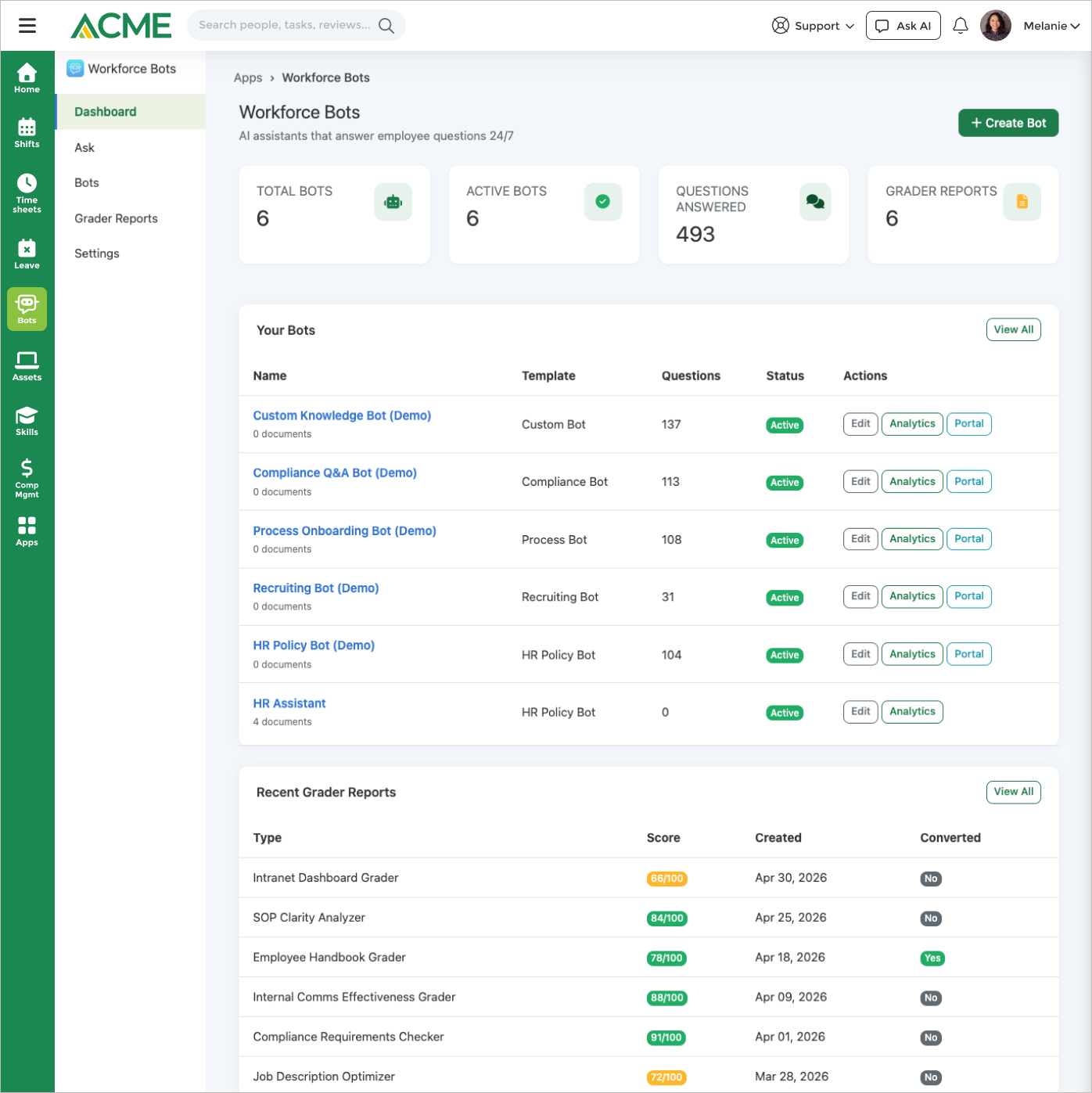
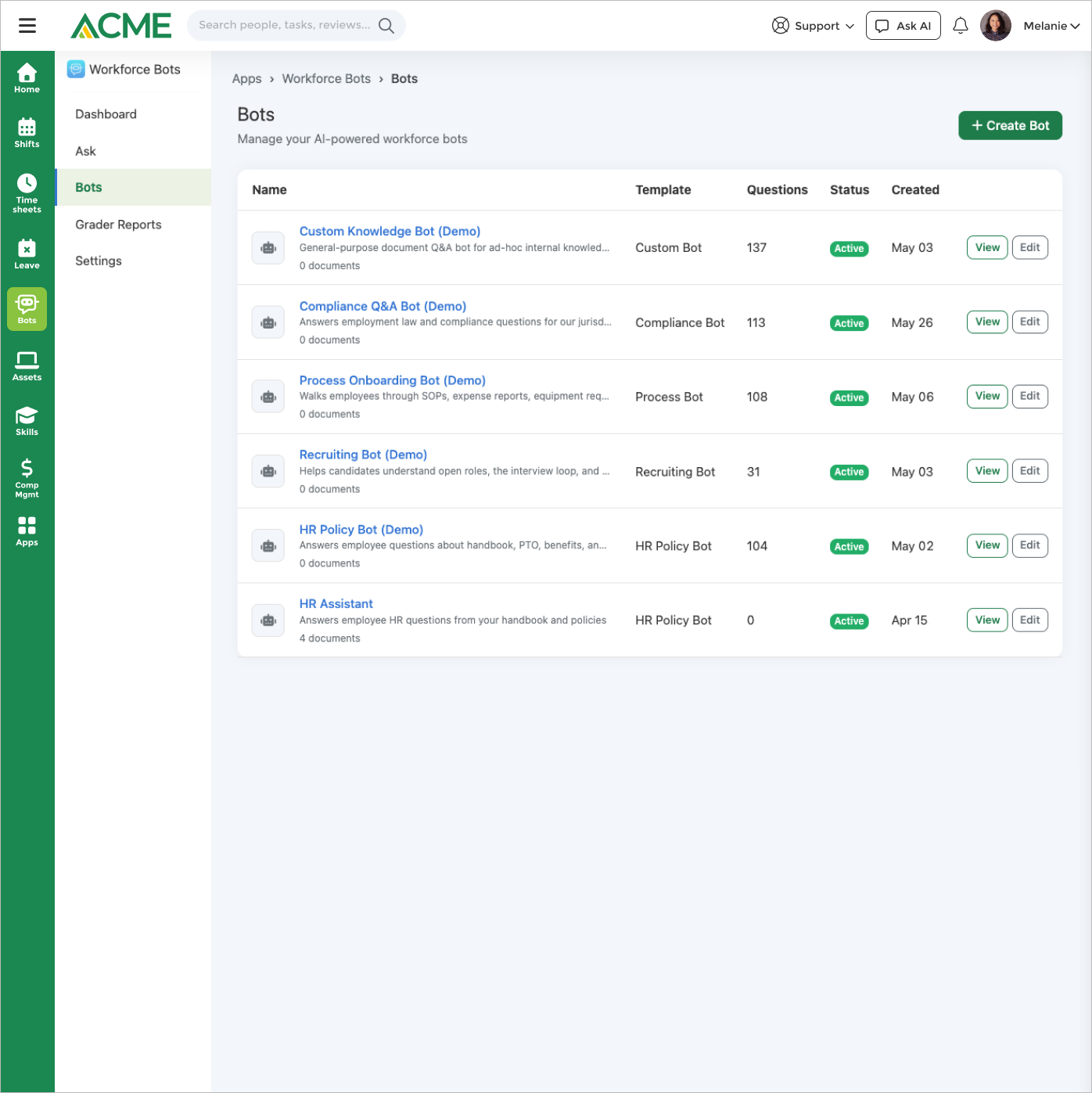
Workforce Bots turns the documents you already have — handbooks, SOPs, policies, job descriptions — into named AI assistants that answer employee questions around the clock. Start from one of five templates (HR Policy, Process/SOP, Compliance, Recruiting, or Custom) and upload PDF, Word, or plain-text files; each bot answers only from its own corpus, using chunk-level semantic retrieval and citing the sources it drew from. Employees can ask in any of 16 languages, attach a screenshot, and follow up on suggested next questions.
Deploy each bot where people already are — a public portal, an embeddable iframe, a floating chat widget, the in-app chat panel, or mobile — with white-label branding and signed-JWT SSO pass-through. Slack and Microsoft Teams delivery is set up for you on request rather than self-serve. One business-wide Ask box routes every question to the best-matching bot, so nobody has to know which portal to open. Governance is a review trail rather than a gate: each message keeps its retrieved sources and confidence score, low-confidence answers land in an admin approval queue after they have been delivered, and “Route to a human” raises a Service Desk ticket. Optional PII redaction, GDPR purge, and outbound webhooks complete the audit story.
Beyond Q&A it ships an Internal Comms Effectiveness Grader, a Compliance Requirements Checker by state, city, and industry that needs no document at all, an AI Writer with Writing Profiles that capture your organization’s voice, and a Comms Planner with CSV and ICS export. Handbook, job-description, SOP, and intranet graders are a development preview. Analytics report question volume, top topics, confidence, ratings, and a knowledge-gap list you can answer straight back into the bot’s corpus.
Turn your handbooks, SOPs, and policies into AI bots that answer employee questions 24/7, with document graders, an AI Writer, and analytics on what employees are asking.
Highlights
Capabilities
Document Q&A Bots
-
Five bot templates: HR Policy, Process/SOP, Compliance, Recruiting, Custom
-
Multiple bots per business, each with its own knowledge base
-
Custom name, avatar, welcome/fallback message, and system prompt
-
Compliance bot backed by a jurisdiction rules database
-
Optional web-search fallback when the knowledge base has no answer
-
Answers in the asker's language with automatic language detection (16 languages)
-
Understands screenshots and images attached to a question
-
AI-suggested follow-up questions after each answer
Knowledge Base & Retrieval
-
Upload PDF, Word (.doc/.docx), and plain-text documents
-
Automatic text extraction, summary, and key-topic tagging
-
Chunk-level retrieval-augmented generation with cited sources
-
Sync knowledge base from platform sources (Service Desk, Safety, HR, Help, Learning, Inspections)
-
Document freshness / stale-content review tracking
Deployment Channels
-
Public share portal at a per-bot slug
-
Embeddable iframe snippet for customer/company sites
-
Floating chat-bubble widget script
-
Business-wide "Ask" router that auto-picks the best bot per question
-
Custom-branded / white-label portal (your theme, MangoApps branding removed)
-
SSO identity pass-through for embedded bots (signed JWT)
-
Bulk Q&A — answer an uploaded question list and export to XLSX, CSV, or Markdown
Conversation Governance & Safety
-
Approval / moderation queue for low-confidence answers
-
Per-message audit trail (retrieved sources + confidence)
-
GDPR / incident-response conversation purge
-
Optional regex PII redaction on stored messages (SSN, card, email, phone)
-
Outbound webhooks (conversation_complete, low_rating, unanswered, deflection)
-
"Route to a human" escalation on low-confidence answers (webhook + ticket hand-off)
-
Downloadable conversation transcripts and CSV conversation export
Built-in Comms Tools
-
Internal Comms Effectiveness Grader (readability, tone, trust, channel fit, PII, inclusivity)
-
Compliance Requirements Checker by state/city/industry (no document needed)
-
AI Writer: generate, rewrite, and transform email, memo, announcement, update, newsletter, policy, article
-
Writing Profiles that capture your org's voice from 3–10 samples
-
Comms Planner: annual calendar with AI suggestions and CSV/ICS export
Analytics & Engagement
-
Question-volume and top-topic dashboard per bot
-
Unanswered-question tracking with mark-answered
-
Per-answer confidence scoring
-
1–5 star user ratings on bot answers
-
Knowledge-gap report from unanswered questions
-
Downloadable PDF analytics report (volume, quality, top topics, monthly cost)
Limits & Specs
-
Accepted document formats: PDF, Word (.doc/.docx), plain text
-
Max upload size: 10 MB per file
-
RAG retrieval: Top 3 source documents, chunk-level semantic search (~1,500-char chunks)
-
Monthly question quota: Optional, admin-set per bot or business (no hard cap by default)
-
Web-search fallback: Tavily, per-bot opt-in
-
Pricing: Licensed Workforce app — admin enables per organization
Screenshots

Use cases
Resources
FAQ
Bots accept PDF, Word (.doc/.docx), and plain-text files up to 10 MB each. The system extracts text, summarizes it, tags key topics, and splits it into chunks for retrieval. Spreadsheets/CSV are not accepted as knowledge documents.
Each bot has a shareable public portal page, an embeddable iframe snippet, and a floating chat-widget script for external sites. Bots can also run internal-only for authenticated employees, in MangoApps, Ask AI and mobile. Access mode is configurable per bot. Slack and Microsoft Teams aren't available for Workforce Bots yet.
Answers are grounded in your uploaded documents via retrieval-augmented generation and include source citations (top 3 source chunks). When the knowledge base has no match, the bot can fall back to web search (if enabled) or its configured fallback message, and low-confidence answers are logged to an admin approval queue for follow-up. (The asker still receives the answer — the queue is a review trail, not a gate. To hold a question back from an employee entirely, use "route to a human" escalation instead.)
Workforce Bots lets you stand up multiple named, purpose-built bots — HR Policy, Process/SOP, Compliance, Recruiting, or Custom — each with its own knowledge base, welcome message, and system prompt, and each deployable to outside audiences (candidates, contractors, customers) via a public portal, iframe, or widget. A single business-wide "Ask" box then routes every question to the best-matching bot automatically, so users never have to pick the right portal.
Yes. Each bot can be pinned to a specific language or set to auto-detect the asker's language and reply in kind, across 16 languages including English, Spanish, French, German, Portuguese, Italian, Japanese, Chinese, Korean, Hindi, Arabic, Dutch, Polish, Russian, Turkish, and Vietnamese.
Yes. A bot's public portal can be custom-branded with your theme and MangoApps branding removed. For embedded/portal deployments you can set a per-bot SSO shared secret and pass a signed JWT (HS256, with an expiry claim); the asserted name/email identity is used for attribution without creating platform accounts or exposing the rest of the session.
Every message keeps an audit trail of the retrieved sources and confidence score. You can enable optional regex-based PII redaction (SSN, credit card, email, phone, date of birth are masked before messages are stored), purge conversations for GDPR/incident response, and fire outbound webhooks on events like low-rating, unanswered, or conversation-complete. Low-confidence answers can be routed to a human via the approval queue and escalation hand-off.
The Internal Comms Effectiveness Grader and the Compliance Requirements Checker are available in production. The Handbook, Job Description, SOP, and Intranet graders are a development preview and are not yet exposed to production tenants.
Yes, on bots where the bulk Q&A capability is enabled (e.g. Compliance and Custom bots). Upload a question list, the bot answers each from its knowledge base, and you can export the results to XLSX, CSV, or Markdown — useful for compliance audit questionnaires and RFP-style Q&A.
There is no hard question cap by default. Admins can set an optional monthly question quota per bot or across the business for metering; once a configured quota is reached the portal returns a quota-exceeded message until the next cycle. Leaving the quota blank means questions aren't capped.