
Forms
Smart form builder with approval workflows.
Meet the agent
This app ships with a production AI agent — permission-aware, tenant-scoped, audit-logged, and governed by the Agent Development Lifecycle.
AI Forms
PDF and plain-language form creation. Vision-powered.
Overview
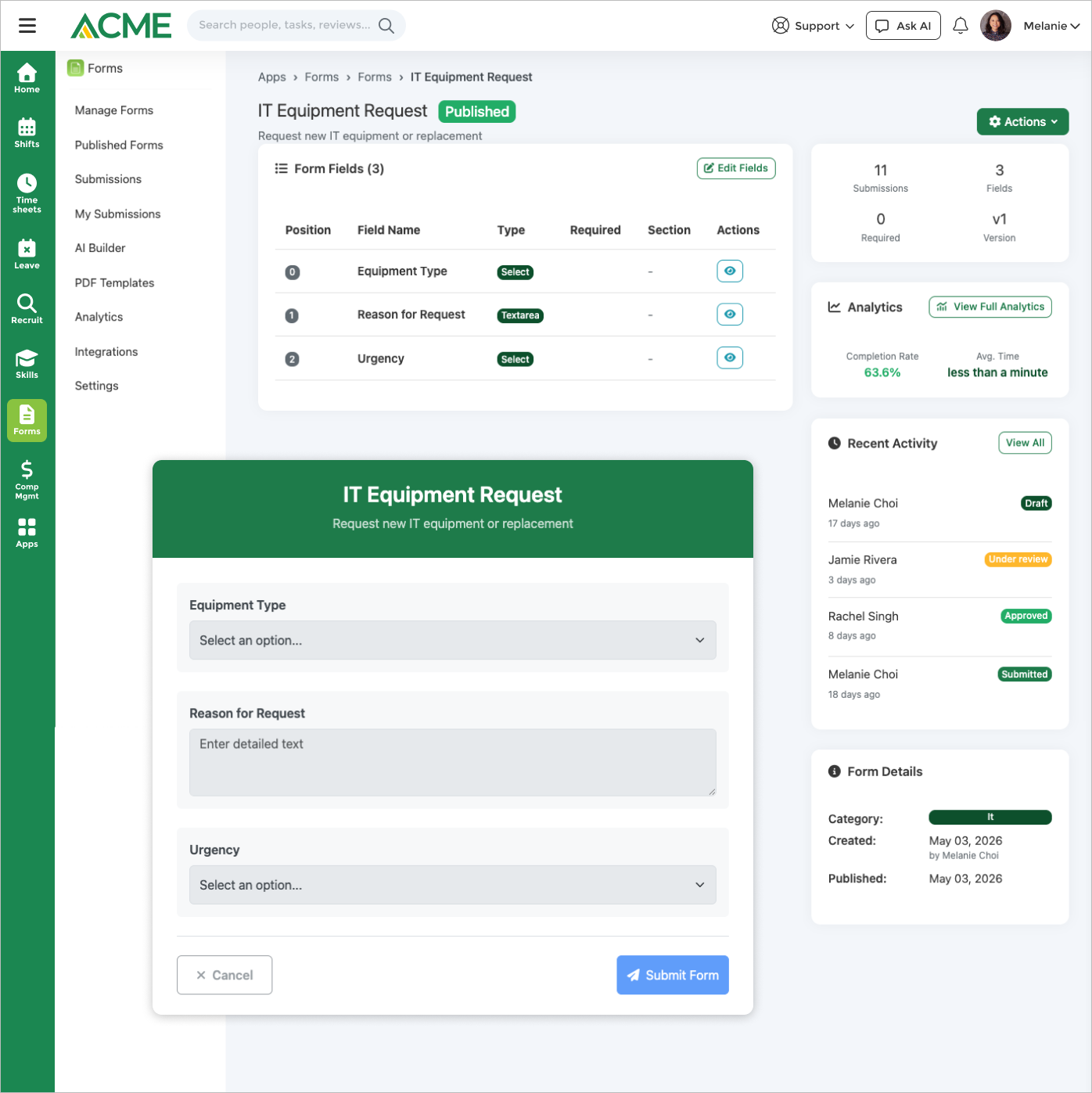
Forms replaces the paper, PDFs and email threads teams still use to collect information — inspections, incident reports, requests, sign-offs, surveys — with something people can actually complete on a phone in the field.
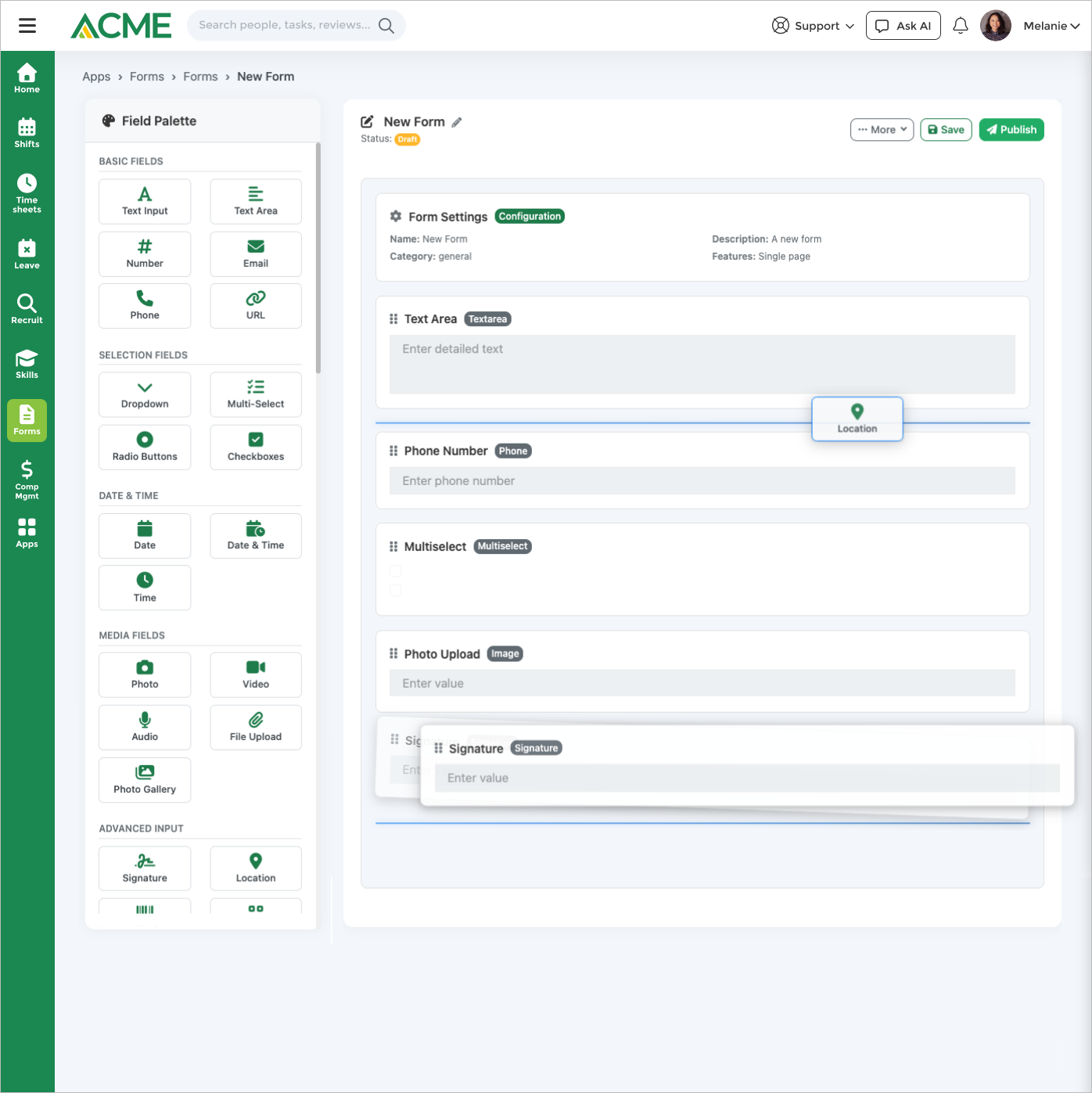
Building a form doesn't start with a blank canvas. Describe what you need in plain language, upload an existing PDF or a photo of a paper form, or point it at a web page, and you get a working draft you refine in a drag-and-drop builder. Over 30 field types are available, including signature capture, GPS, barcode and QR scanning, sketch, matrix and Likert scales, calculated fields, and fields that look up live data from a REST API.
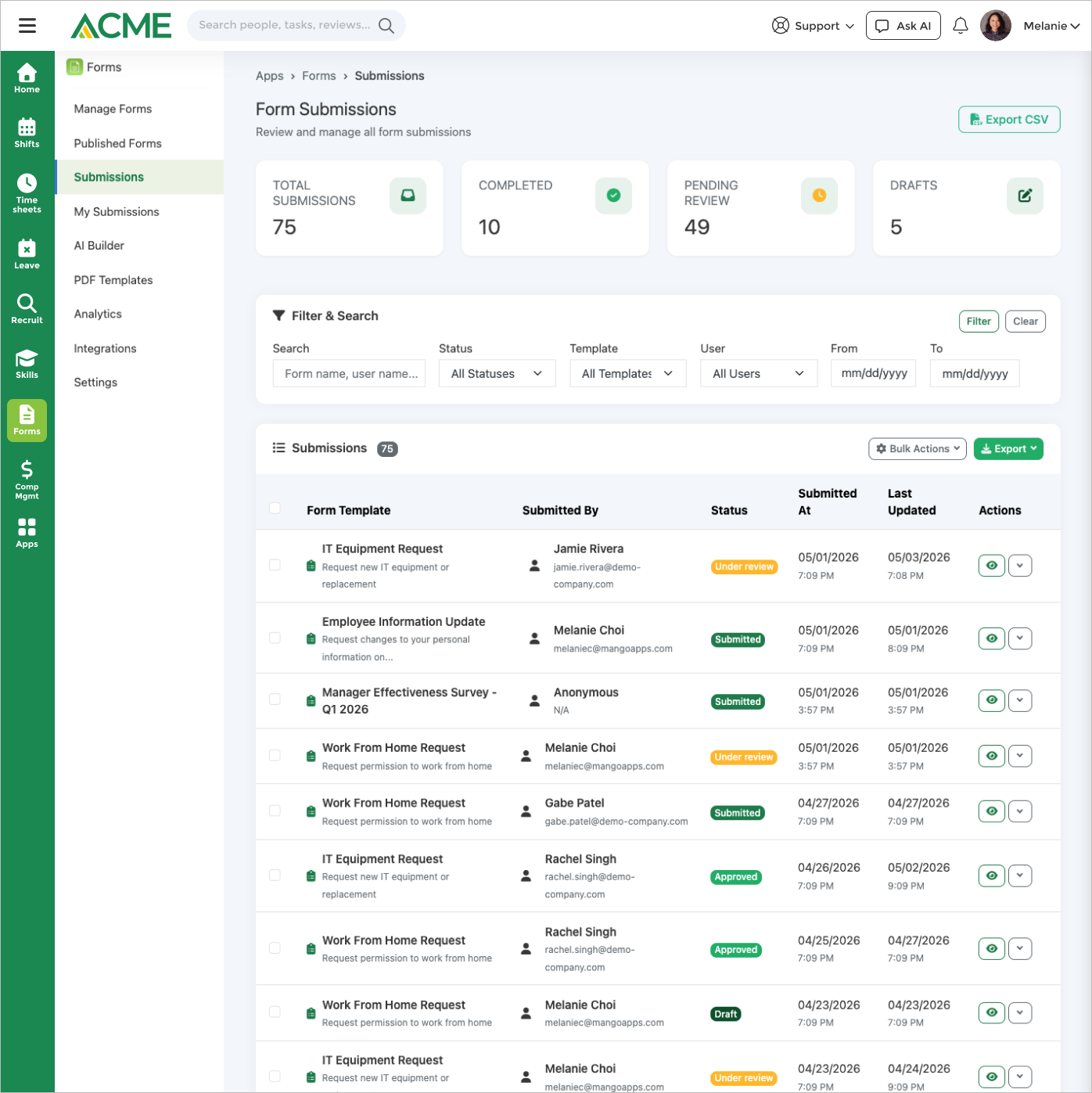
What happens after someone hits submit is where most form tools stop. Submissions can route through multi-step approval workflows, and a reviewer can return specific fields for correction rather than rejecting the whole thing. Sensitive answers can be restricted per field — to the people who review it, the submitter's manager, or administrators only — so an SSN or a salary figure is never visible to everyone who can see the response. Submissions can automatically open a task, file an incident report, raise a service desk ticket, or sync an uploaded document to an employee's HR file.
For deskless teams, a phone captures signatures, photos and GPS tags, tablets add voice-to-text and Photo to Text on the web form, the iOS app adds its microphone and camera, and in the iOS app a form started without signal is kept as a draft on the device and sent automatically once the connection returns. Forms can also be shared publicly by link or QR code, or embedded on your own site, to collect responses from people outside your organization.
See a form built from plain language, a PDF, or a web page, filled on a phone with a photo, location, and signature, reviewed with field-level send-back, and automatically turned into a task, incident report, or Service Desk ticket — plus recurring schedules and analytics.
Highlights
Capabilities
AI Features
-
AI form builder from a natural-language description
-
AI form extraction from a PDF or image upload
-
AI form extraction from a web page URL
-
AI auto-fill suggestions (your name, email address or today's date) on matching text fields
-
Voice-to-text and Photo to Text on the web form on tablets; microphone and camera capture in the iOS app
Form Building & Templates
-
Drag-and-drop advanced builder
-
Multi-page forms with page breaks
-
System and custom templates with draft / published / archived lifecycle
-
Fillable PDF template mapping, auto-generated forms, and version history
Field Types (30+)
-
Text, textarea, number, email, phone, URL, select, multi-select, radio, and checkbox
-
Date, datetime, and time pickers with weekday / holiday blocking
-
File, image, video, audio, and gallery uploads
-
Signature, GPS / location, barcode / QR scanner, sketch, and annotation
-
Rating, slider, range, matrix, Likert scale, calculated, auto-number, REST API lookup, rich text, and color picker
Logic, Validation & Review
-
Per-field conditional show / hide and require-when logic
-
Conditional navigation rules and multi-step form flows
-
Type, length, range, regex, and unique-value validation
-
Approval workflows: approve / reject, field-level return, and request-completion hand-off
Submissions & Sharing
-
Auto-save drafts with cross-device resume
-
Anonymous and authenticated submissions, with URL query-parameter pre-fill
-
Public share links, QR codes (PNG / SVG), and embeddable iframes
-
Custom per-form branding with your own logo
-
Availability windows with open / close dates and total-response caps
-
Honeypot spam protection and anonymous-response policy controls
-
Post-submission redirect to a custom thank-you URL
-
Scheduled recurring form assignments (daily / weekly / monthly)
-
Bulk approve / reject from the submission review queue
-
Submission export to PDF, CSV, and JSON
-
Email notifications across the submission lifecycle
Analytics & Insights
-
Submission analytics dashboard with volume over time, completion rate and a status breakdown
-
Top-templates and most-active-submitter leaderboards
-
Report export to PDF, Excel, CSV, and JSON
Integrations
-
Tasks — auto-create tasks on submission
-
Safety Hub — auto-create incident reports
-
Service Desk — auto-open tickets on submission
-
Performance Management — add a note to the employee's record on submission
-
HR File Manager — sync submitted files to HR records
-
AI Sheets — bridge form fields into a sheet
Limits & Specs
-
Max file attachment size: 10 MB default (admin-configurable, 1–50 MB)
-
AI form-extraction upload limit: 20 MB per file
-
AI extraction input types: PDF, JPEG, PNG, GIF, WebP
-
AI text-description length: 150–5,000 characters
-
Submission sources: Web, Mobile, API
Screenshots

Use cases
See it in action
Below is a real Customer Feedback Survey template, rendered live from the same schema your business runs on — not a screenshot. Every primitive shown here (checkboxes, ratings, photo capture, location pins, yes/no, signature) renders identically inside the app on your team's phones.
FAQ
Yes. Upload a PDF (or an image, or paste a web page URL) up to 20 MB and AI extracts the fields, labels, and layout into a digital form you can customize. Supported upload types are PDF, JPEG, PNG, GIF, and WebP. You can also map a PDF template so a filled PDF is generated back on each submission.
Yes. Describe the form you need in plain language — between 150 and 5,000 characters — and AI generates the fields, validation, and conditional logic for you to review and refine in the drag-and-drop builder before publishing.
In the iOS app, yes: a form filled in without signal is saved on the device and sent automatically once connectivity is restored. Forms on the web and in a phone's browser need a connection.
Admins configure approval rules per form. Submissions land in the reviewer's queue where they can approve, reject, or return specific fields for correction — and a request-completion hand-off can ask another person to fill in a missing field via an emailed link. Reviewers can also bulk approve or reject from the queue.
Most can. On a phone's web pages, text, choice, date, time, rating, scale and Likert, matrix, slider, range, colour, signature, location, photo or file, and barcode / QR questions (scanned with the phone's camera or typed) are answered in place; sketch, annotation, lookup, REST API and table questions aren't drawn on a phone's pages — the page says to open the form on a desktop; an optional one can be left blank, and when one is required, Submit becomes an Open on desktop button.
Yes. Each field carries a visibility tier: everyone (anyone who can view the submission), reviewers (the submitter, their manager, admins and Forms App Admins, and the people who review the submission — its workflow approvers, and onboarding HR for an onboarding form), managers (the submitter, their manager, and admins and Forms App Admins), or submitter (the submitter plus admins and Forms App Admins only, with managers and approvers blocked). The submitter who entered a value always retains access to it. HR sees a restricted answer only on the reviewers tier of an onboarding form.
Yes. Fields can be pre-filled via URL query parameters, so you can link people straight to a form with the details you already know filled in. Only fields defined in the form template are accepted; any other parameters are ignored.
Yes. Per-form sharing settings let you set an availability window with open and close dates, a maximum total-response cap, and an anonymous-response policy, plus honeypot spam protection on public links. Forms can accept anonymous or authenticated submissions from web, mobile, and API.
Yes. Email notifications fire across the submission lifecycle — a manager is emailed when a new submission needs review, the submitter is emailed on status changes and when fields are returned for correction, and public respondents can receive a submission receipt.
A submission analytics dashboard shows volume over time, completion rate and a status breakdown, with top-template and most-active-submitter leaderboards; each form also has its own analytics (submissions by day, source and device, and its busiest hours). Reports and submissions can be exported to PDF, Excel, CSV, and JSON.
Forms is a structured data-collection and workflow tool — build fillable forms with 30+ field types, conditional logic, approvals, and per-submission review for operational processes like incident reports, inspections, and requests. Surveys is a separate app for employee engagement and pulse feedback, focused on anonymous responses, trend analysis, and action planning. Use Forms when you need to review and act on individual submissions; use Surveys when you want aggregate sentiment.