
For most organizations, the intranet is where communication happens. Announcements go out, pages get published, employees check in. What it rarely is: the place where work actually gets managed.
Spring '26 changes that in a meaningful way. New integrations bring service desk tickets, performance reviews, goals, and continuous feedback directly into the MangoApps employee dashboard. Governance gets a genuine enterprise-grade overhaul. And the posts and editorial workflow receives its most comprehensive upgrade in years. Taken together, this release moves MangoApps from the communications layer to the operational center of the every day employee experience.
Workforce Management and Operations Integrations in the Hub
The most significant addition in this theme is one that most employees will feel immediately. MangoApps now surfaces key workflows from MangoApps Workforce Management and Operations solutions directly in the employee dashboard, on both web and mobile, without requiring a separate login or app.
This covers two areas: service desk and performance management.
Service Desk
Employees can now submit IT and HR service requests, track open tickets, and access a full service catalog without leaving their dashboard. A Service Request Catalog widget lists available request types, and a conversational AI option lets employees describe their issue and get help through a chat interface. The My Support Tickets widget adapts based on role:
- Agents see tickets assigned to them alongside tickets they have created.
- Managers and admins see pending approvals, assigned tickets, and their own created requests.
- All other employees see the tickets they have submitted and their current status.

New requests and the full ticket list are accessible through deep linking, with no additional authentication required.
Performance Management
Five new widgets bring performance data into the employee dashboard in real time. Employees and managers can now track the following directly from their home screen:
- Individual performance reviews, including the current cycle status and next pending action.
- Personal goal progress, with completion percentages and due dates for upcoming and overdue goals.
- Continuous feedback received and given, with the ability to request or give feedback directly from the widget.
- For managers, a team-level view of performance review completion status across direct reports.
- For managers, a team-level view of goal progress showing completed, on-track, and at-risk goals.

All five widgets are available on mobile. Employees do not need to install a separate app to access any of this functionality.
The practical effect is significant. Rather than toggling between systems to understand where a ticket stands, where a review is in the cycle, or where a team's goals are tracking, employees and managers get that picture in one place.
Enterprise Governance Overhaul
Content governance has historically been one of those areas where the tools available to admins don't quite match the scale of the problem. Spring '26 addresses that with a set of governance improvements that touch the full content lifecycle.
Home pages now included in governance for the first time. Previously, home pages sat outside the governance framework. They now participate fully, meaning organizations can apply the same review, verification, and lifecycle controls to their most visible pages that they apply everywhere else.
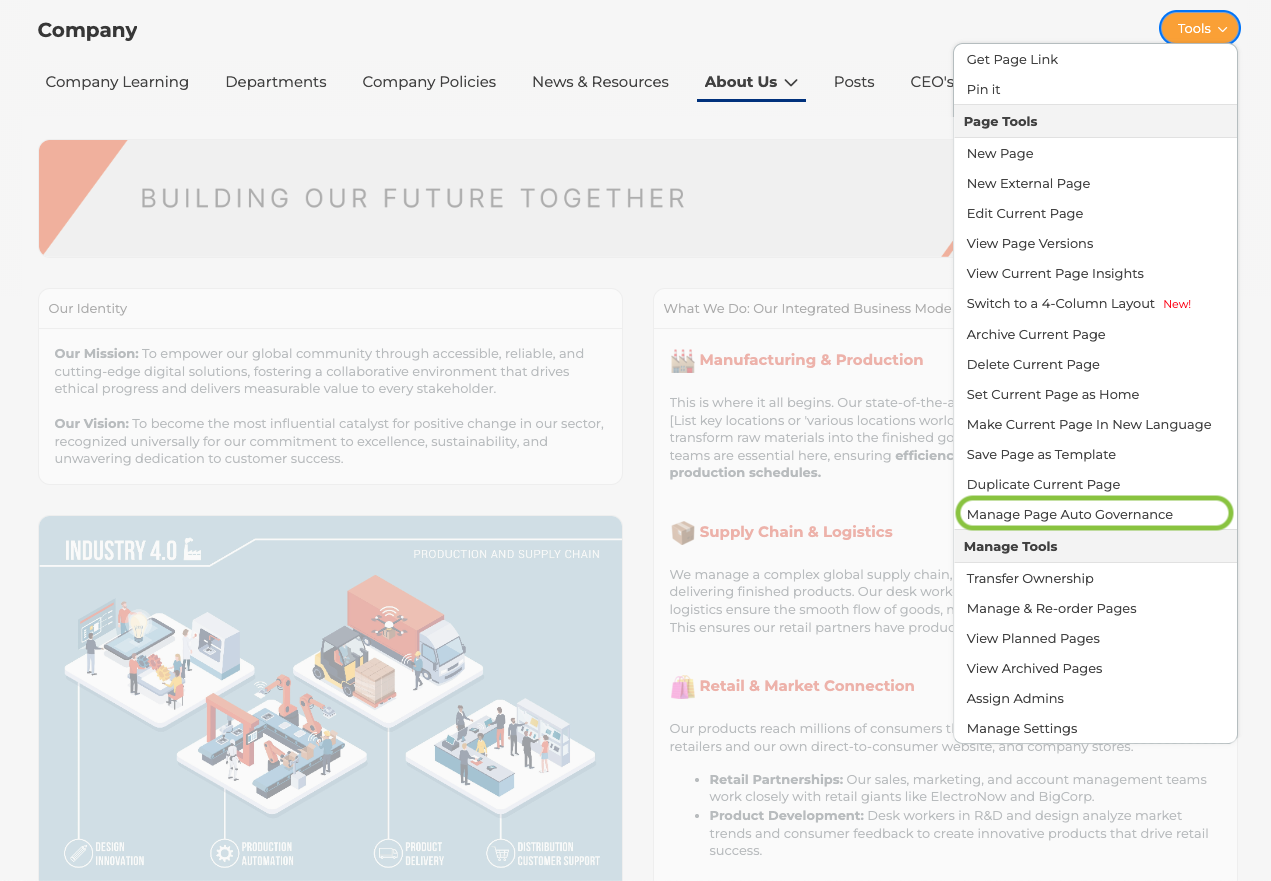
Bulk page management from a centralized admin view. A new Pages module in the Admin Portal gives admins a consolidated list of every page across the network, including home pages, with sortable columns for status, author, team, last modified date, total views, governance state, and more. Bulk actions include archive, delete, set hashtags, set categories, and manage governance, all from one place.
Other governance improvements in this release include:
- Governance items now surface in My Priority Items, so reviewers see what needs attention without navigating to a separate module.
- Governance reminder emails now include a clear "Governance Reminder:" prefix in the subject line, making them easy to identify in busy inboxes.
- Clicking a governance notification now opens the specific content item directly, rather than routing reviewers to a full list where they have to find it manually.
- A new Team column in the governance items list makes it easy to see which team each governed item belongs to, with multi-team filtering support.

Posts and Editorial Workflow Upgrade
Internal communications teams have more to work with in Spring '26 than in any recent release. The improvements span authoring, content lifecycle management, and multi-author collaboration.
New authoring tools
Two new content blocks expand what authors can build inside a post:
The People Block lets authors spotlight up to ten employees directly within a post, with profile images, job titles, and a View Profile link auto-populated for each person. Useful for introductions, team announcements, and recognition posts.

- The Text Around Image block brings inline image and text editing to the post composer, with support for multiple images, granular layout controls, and text color and style customization, all editable inline without leaving the post.
Content lifecycle controls
Several long-requested workflow improvements are now available:
- Authors can edit the audience of a draft post without recreating it from scratch.
- Posts can be backdated on first publish, giving communications teams control over the visible timestamp when publishing content retroactively.
- Scheduled posts can now be duplicated, making it easier to repurpose recurring content.
- Published posts are now visible in the Planned Posts calendar alongside drafts and scheduled posts, giving a complete picture of content history in one view.

Bulk operations and collaboration
- Domain and team admins can now perform bulk actions across posts in list view, including archive, delete, set hashtags, set categories, and manage governance.
- Post comments and replies can be exported to CSV, useful for moderation, compliance, and reporting.
- When two authors attempt to edit the same post simultaneously, the platform now surfaces a clear Take Over Editing prompt rather than silently allowing conflicting drafts.

The Shift Worth Noting
The thread running through all three areas in this release is the same: MangoApps becomes more useful to more people, in more moments of the actual workday. Service desk and performance management in the hub means fewer context switches for employees. Better governance means content quality holds up at scale. A stronger editorial workflow means communications teams can move faster and with more control.
The platform has always been where communication happens. Spring '26 extends that to where work happens.
Learn more about the full Spring '26 Release by reading other deep dive articles linked below:
The MangoApps Team
We're the product, research, and strategy team behind MangoApps — the unified frontline workforce management platform and employee communication and engagement suite trusted by organizations in healthcare, manufacturing, retail, hospitality, and the public sector to connect every employee — deskless or desk-based — to the people, tools, and information they need.
We write about enterprise AI for the workplace, internal communications, AI-powered intranets, workforce management, and the operating patterns behind highly engaged frontline teams. Our perspective is grounded in a decade of building for frontline-heavy industries and shipping AI agents, employee apps, and integrated HR workflows that real employees actually use.
For short-form takes, product news, and field notes from customer rollouts, follow Frontline Wire — our ongoing stream on AI, frontline work, and the modern digital workplace — or learn more about MangoApps.


