
Running a training program at scale is hard work. Enrollment rules need to fire on time. Compliance certificates need expiry dates tracked. Instructor-led sessions need to connect to the video tools your teams already use. And when an employee changes roles, the courses they no longer qualify for should update automatically. Most platforms leave those gaps for admins to fill manually. For employees, that bottleneck means waiting longer for training that's current, relevant, and actually built for how they work.
Spring '26 closes a meaningful number of them. The LMS receives a full automation lifecycle overhaul, a set of workplace safety compliance capabilities, and improved instructor-led training tooling. The Surveys module has been substantially rebuilt, with eleven new capabilities that make it a more credible enterprise listening tool. Together, these updates make MangoApps a stronger choice for organizations running serious, compliance-heavy learning and feedback programs.
LMS Automation Lifecycle
The headline for L&D administrators is that the full learner lifecycle is now automatable without manual intervention. Three core additions make this possible.
Prerequisite-based course chaining. Admins can now configure follow-on course assignments to trigger automatically when a learner completes a prerequisite. A new "On Course Completion" trigger in Learn Automation lets admins define whether completing any one of a set of courses qualifies, or whether all must be completed before the next course is assigned. This enables structured learning paths that advance on their own, without someone monitoring completions and manually assigning the next step.
Hourly automation triggers. Learn Automation rules previously ran on daily, weekly, monthly, or yearly intervals. Spring '26 adds hour-based recurrence at 4, 8, and 12-hour intervals. For organizations with shift-based workforces or time-sensitive onboarding requirements, this means compliance and training assignments can respond much faster to eligibility changes.
Automated unassignment. When a learner no longer meets the criteria for a course they were automatically assigned, the platform can now remove that assignment without admin intervention. A domain-level setting controls this behavior, and it applies only to courses with a Not Started or In Progress status. Completed learners are never unassigned. All cancelled attempts are preserved in the audit log with full history.
Additional automation improvements include:
- Profile date-based automation triggers now support configurable run times, so admins can control exactly when in the day a rule executes, not just which date.
- Learner Activity Reports now include an Unassignment Date column and a toggle to include cancelled attempts, giving L&D teams a complete view of assignment history.
- A new Days to Complete column has been added across LMS reports, calculating time from assignment or start date to completion.
The practical effect for learners: the right course shows up at the right time, without anyone having to manually intervene to make it happen.
Workplace Safety Compliance Capabilities
Organizations in healthcare, manufacturing, field services, and other safety-critical industries often need more than a completion record. They need verifiable proof. For employees in safety-critical roles, completion records aren't administrative formality. They're the proof that someone was trained before they got on the equipment. Spring '26 adds three capabilities specifically designed for those requirements.
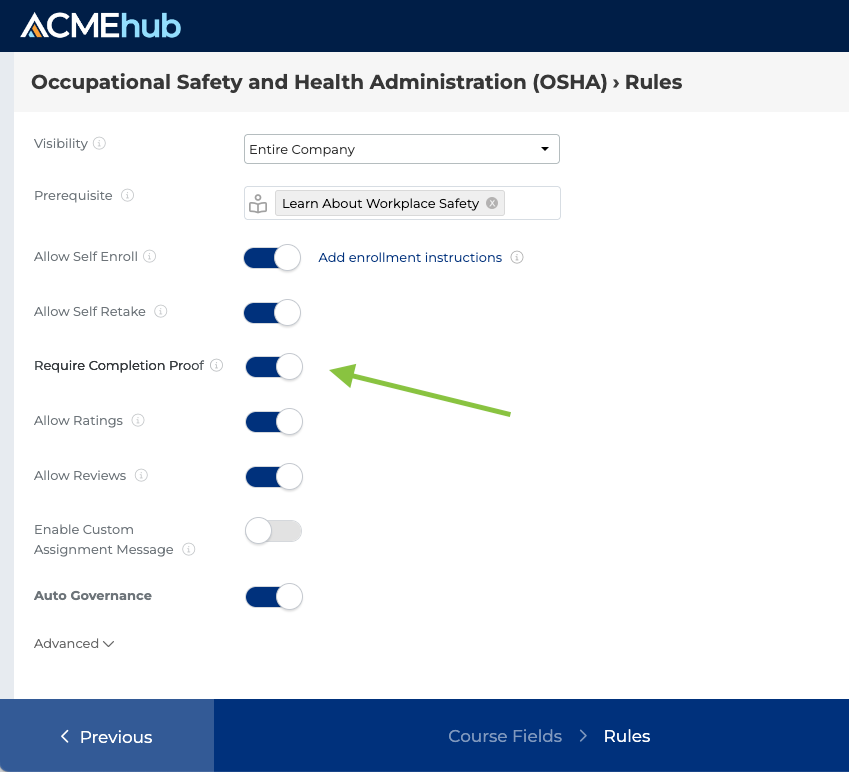
Completion proof for instructor-led training. For ILT courses, admins can now require a completion proof attachment as a mandatory step in the Mark as Complete flow. Accepted formats include PDF, JPG, and PNG. Proof files are stored securely alongside certificates and are not publicly accessible or searchable. Every proof upload and update is captured in the audit log, giving organizations a defensible compliance trail for requirements like CPR/AED certification, forklift training, and fall protection.
Certificate expiry date tracking. When uploading external certificates, admins can now set an optional expiry date. That date surfaces across the Learners Completion Report, Learner Activity Report, and Program Activity Report, making it straightforward to identify who is current, who is approaching expiry, and who needs recertification.

ILT session integration with video conferencing tools. Instructor-led sessions now support direct integration with Zoom, Google Meet, and Microsoft Teams, consistent with how Events work across the platform. ICS calendar files are automatically attached to enrollment notifications and automation emails, so learners can add sessions to their external calendars without extra steps. Learners can also add sessions directly to Google Calendar or Outlook from the enrolled session card.
Surveys Rebuilt for Enterprise Use
A survey program is only as good as the trust employees have that their responses matter and their identity is protected.
The Surveys module in Spring '26 is a substantial upgrade. Eleven new capabilities address the gaps that made large-scale survey programs difficult to run consistently: no reusable templates, no cross-domain portability, limited question types, and no network-wide visibility into participation and completion.
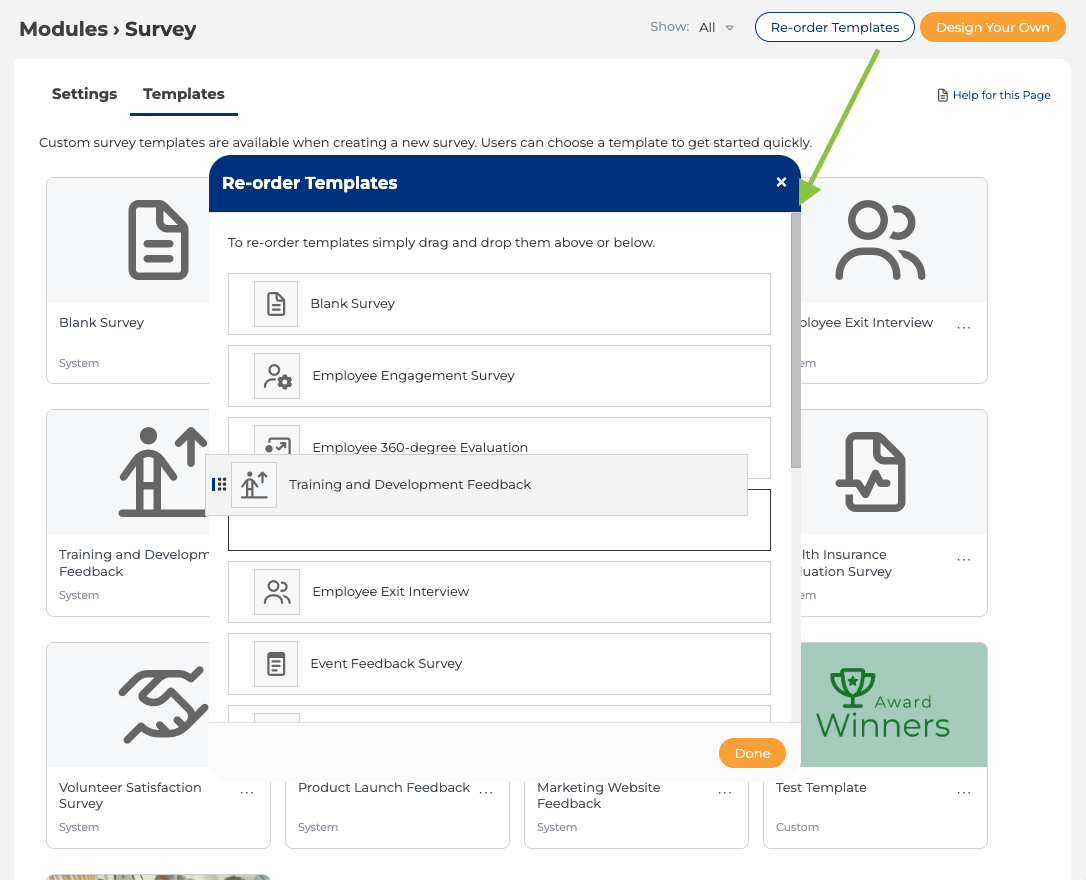
Custom reusable survey templates. Admins can now create, manage, and publish custom survey templates from a centralized Templates hub. Templates carry forward the full survey configuration: questions, design settings, rule builder logic, and preferences. When a creator selects a template, all of that is pre-filled, and they can still modify any element before publishing. Templates can be activated, deactivated, reordered, and duplicated. Deactivating a template does not affect surveys already created from it.
Export and import across domains. Surveys can now be exported as a JSON file and imported into another domain, carrying the full survey structure including questions, images, design settings, and rule configuration. Audience configuration is not included in the export, so importing organizations set their own targeting. This removes the need to manually rebuild surveys from scratch when deploying consistent listening programs across multiple environments.
New question and response capabilities. Several enhancements expand what surveys can capture and how respondents interact with them:
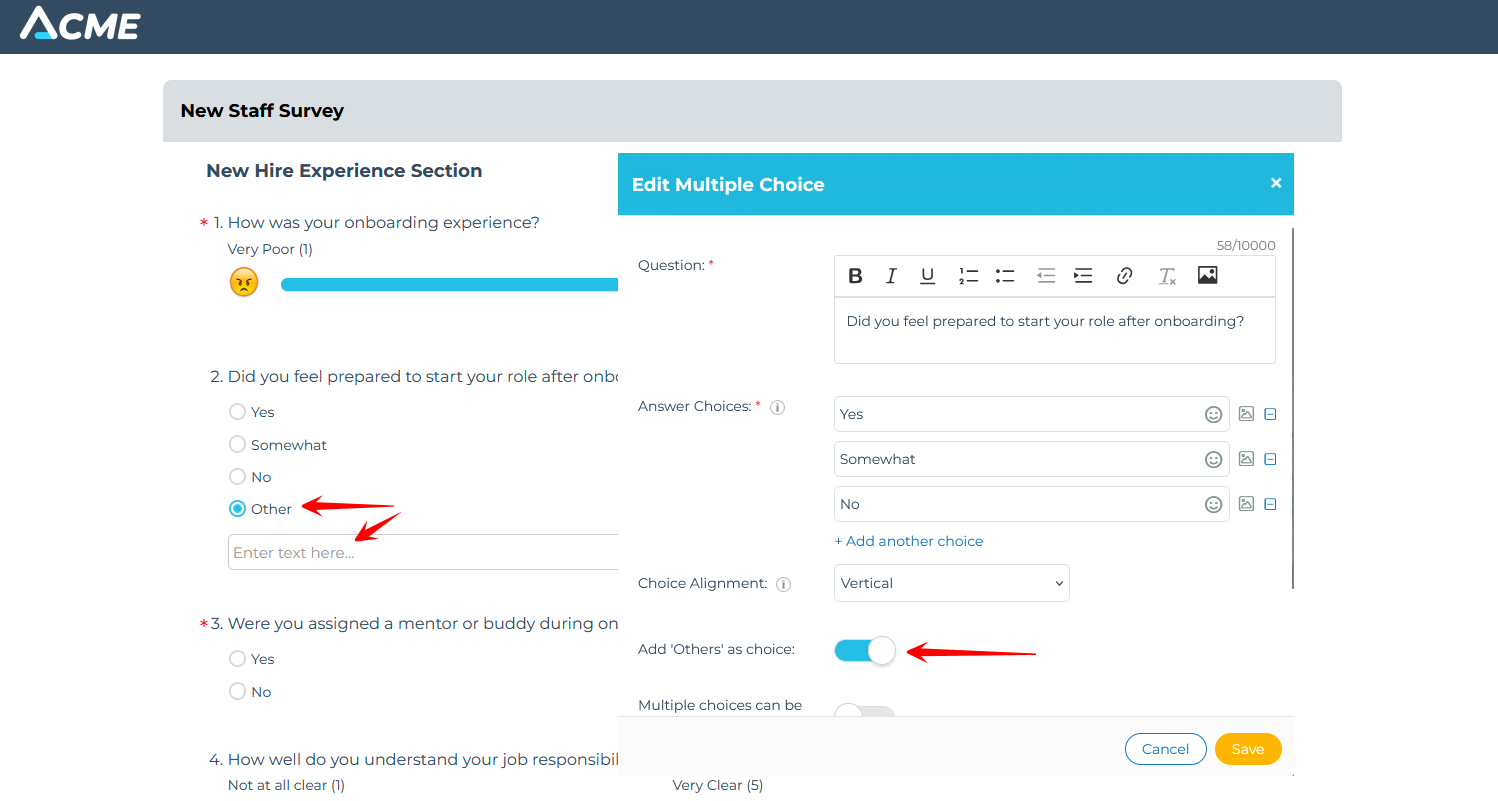
- An "Other" free-text option can be added to multiple choice questions.
- Min and max selection limits can be set on multi-select questions.
- Auto-complete suggestions help respondents find answers in long-answer fields.
- Read-only description fields can be added to provide context without collecting a response.
Demographic insights for anonymous surveys. Anonymous surveys now automatically attach non-identifiable demographic attributes to each response. Attributes like department and role can then be used to filter insights without ever revealing respondent identity. Strict PII exclusions apply: employee ID, email, name, manager name, manager email, and manager employee ID are never included. Manager-related attributes are only included when a manager has more than five direct reports, preventing indirect identification in small teams.
Insights access control. Survey creators can now restrict who can view survey insights, including an option to limit visibility to the creator only. This is useful for sensitive listening programs where results should not be visible to domain or team admins.
Centralized Survey Analytics Dashboard. A new Survey Dashboard in the Admin Portal gives network admins a single view of survey performance across the organization. It covers total surveys published, completion rates, publishing and completion trends over time, and a per-survey engagement table with completion percentages. The table supports search, sorting, and CSV export.

What This Means in Practice
For organizations running compliance training programs in regulated industries, Spring '26 significantly reduces the manual overhead involved in keeping learner records current and audit-ready. For HR and people teams running listening programs, the rebuilt Surveys module provides the template consistency, cross-domain portability, and analytics depth that enterprise programs require.
Both areas reflect the same underlying principle: the platform should handle the administrative complexity so the people running these programs can focus on the outcomes.
Learn more about the full Spring '26 Release by reading other deep dive articles linked below:
The MangoApps Team
We're the product, research, and strategy team behind MangoApps — the unified frontline workforce management platform and employee communication and engagement suite trusted by organizations in healthcare, manufacturing, retail, hospitality, and the public sector to connect every employee — deskless or desk-based — to the people, tools, and information they need.
We write about enterprise AI for the workplace, internal communications, AI-powered intranets, workforce management, and the operating patterns behind highly engaged frontline teams. Our perspective is grounded in a decade of building for frontline-heavy industries and shipping AI agents, employee apps, and integrated HR workflows that real employees actually use.
For short-form takes, product news, and field notes from customer rollouts, follow Frontline Wire — our ongoing stream on AI, frontline work, and the modern digital workplace — or learn more about MangoApps.
Dive Deeper


