MangoApps + Workday: HR Data Where Work Happens
A certified Workday integration. Four prebuilt widgets bring pay, benefits, time off, and learning into MangoApps, so frontline workers act on their HR data in the app they already use.
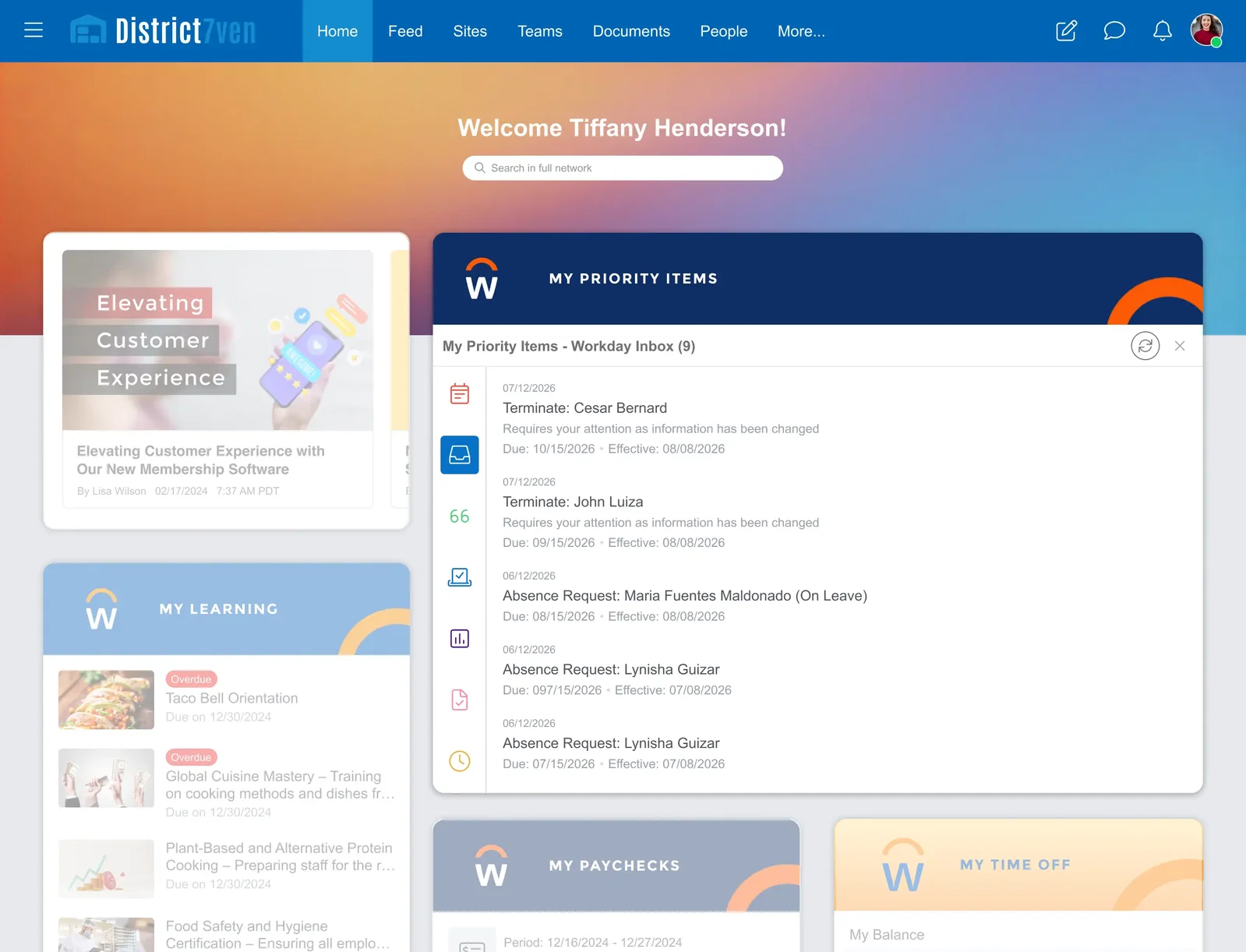





Your Employees Need Workday Data.
They Shouldn't Have to Log Into Workday to Get It.
For most employees navigating to a separate HR portal to check a paycheck, view a benefit, or submit time off is not realistic. MangoApps solves this by surfacing Workday data directly inside the platform your workforce uses every day.
Frontline Workers Can't Reach Workday
Most frontline employees don't have a company laptop and rarely log into a desktop HR portal. Critical HR data — pay, benefits, time off — stays locked behind a system they only visit when something goes wrong.
Too Many Logins, Too Much Friction
Employees shouldn't need separate credentials to check their schedule, read a company update, and view their paycheck. Every extra system is another place where HR information gets missed.
Time-Off Requests Get Delayed
When submitting a request requires navigating to a separate platform, employees put it off. That creates scheduling gaps, manager headaches, and workforce data that is perpetually a step behind.
Benefits Information Goes Unused
Benefits buried in a portal employees rarely visit are benefits employees don't fully use. Surfacing that information where people already are changes the outcome.
HR Teams Get Repetitive Questions
When employees can't self-serve basic Workday data, those questions land in HR inboxes. Every "where do I find my payslip?" email is avoidable.
Data Scattered Across Systems Stalls AI
An AI foundation built on fragmented tools can't act safely across the business. MangoApps brings Workday data into one platform with one identity and permission model — making it usable by the AI that runs on top.
Paycheck Access, No Portal Login Required
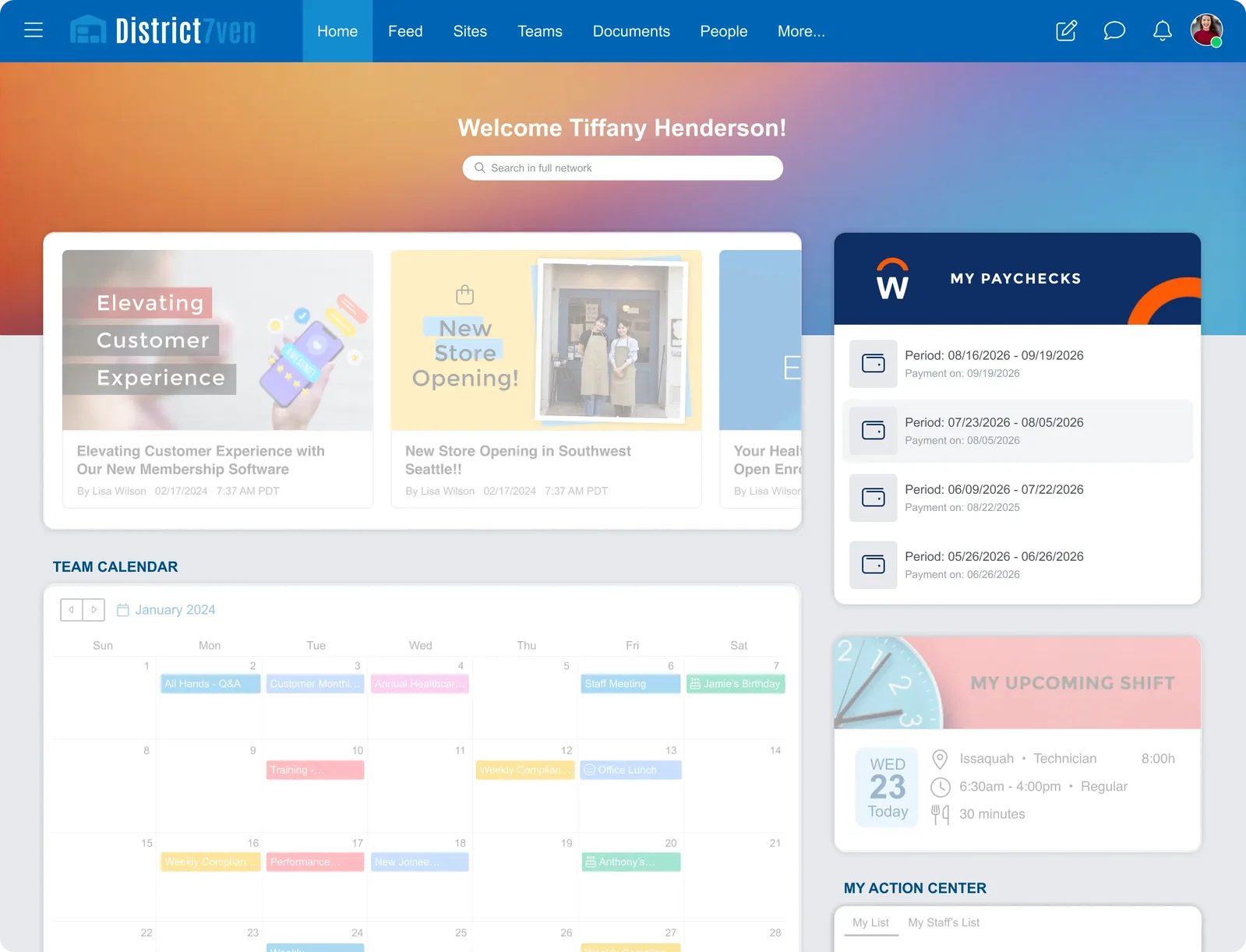
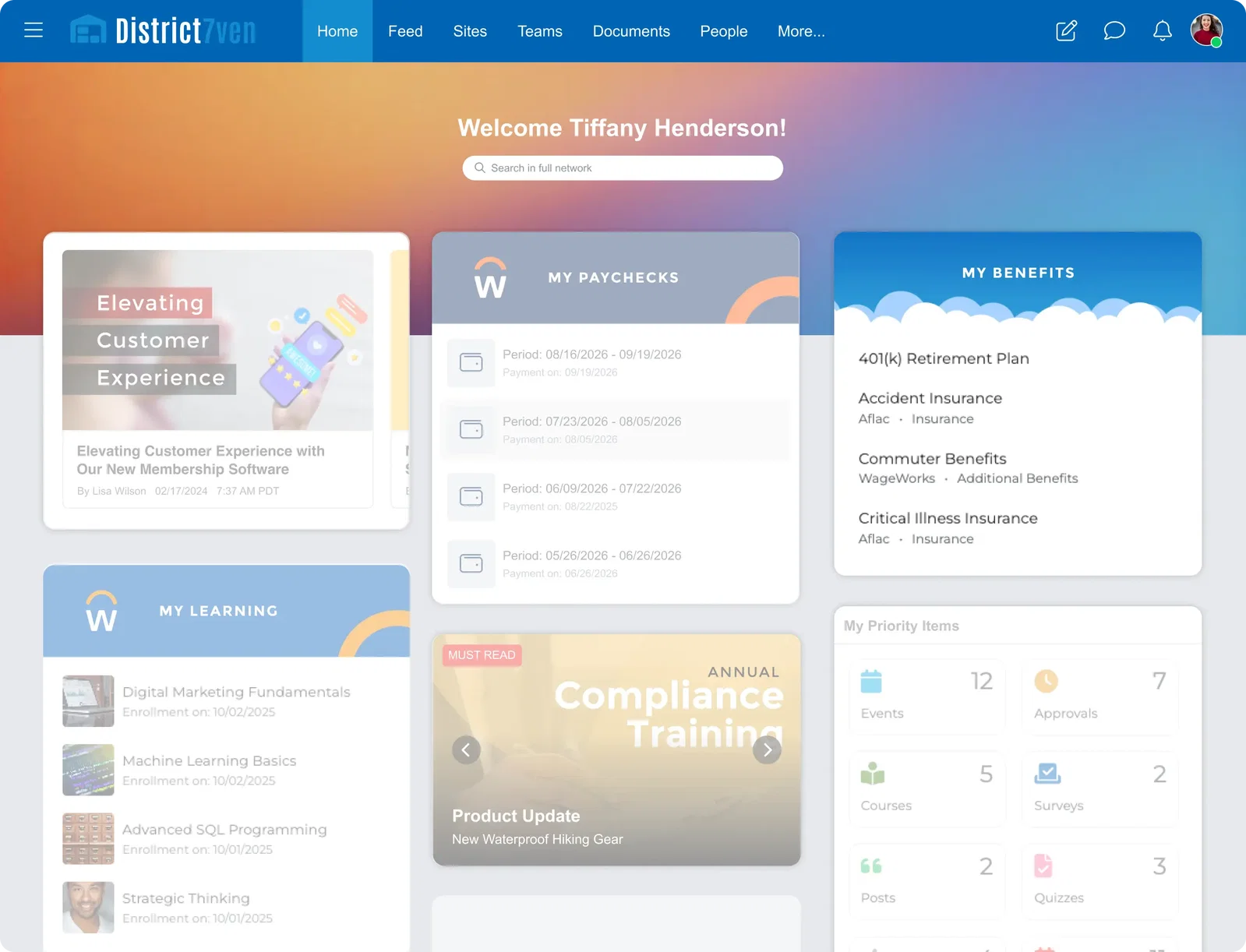
Employees can view their current and past paychecks directly inside MangoApps. The My Paychecks widget pulls payroll data from Workday and surfaces it in a clean card layout — net pay, gross pay, deductions, and pay period dates. For employees who need a full payslip download, a deep link takes them straight into Workday to the exact right page.
- View current and recent paychecks (last 180 days)
- See net pay, gross pay, taxes, and deductions at a glance
- Deep link to Workday payslips page for full downloads
- Available on web and mobile
Request Time Off Without Leaving MangoApps
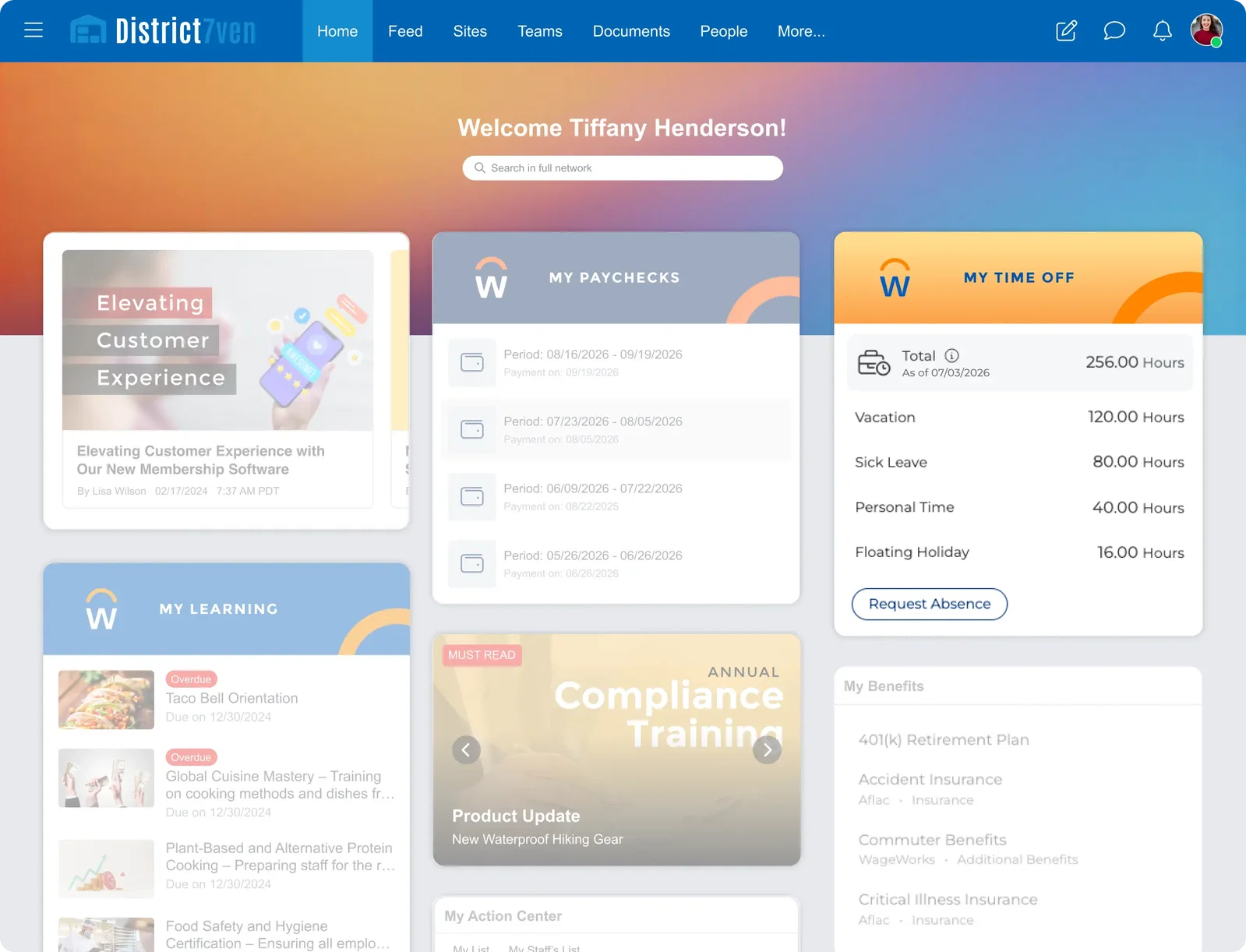
My Time Off is the only bidirectional widget in the integration. Employees don't just view their leave balances — they can submit time-off requests directly from MangoApps, and that request writes back into Workday in real time. Select the leave type, set the dates, add a reason or an attachment, and submit. Workday updates its records. MangoApps syncs and refreshes balances automatically.
- View time-off balances across all leave types
- Submit absence requests directly from MangoApps
- Request data writes back to Workday immediately on submission
- Balances auto-refresh after a request is submitted
- Available on web and mobile
Keep Training Assignments Front and Center
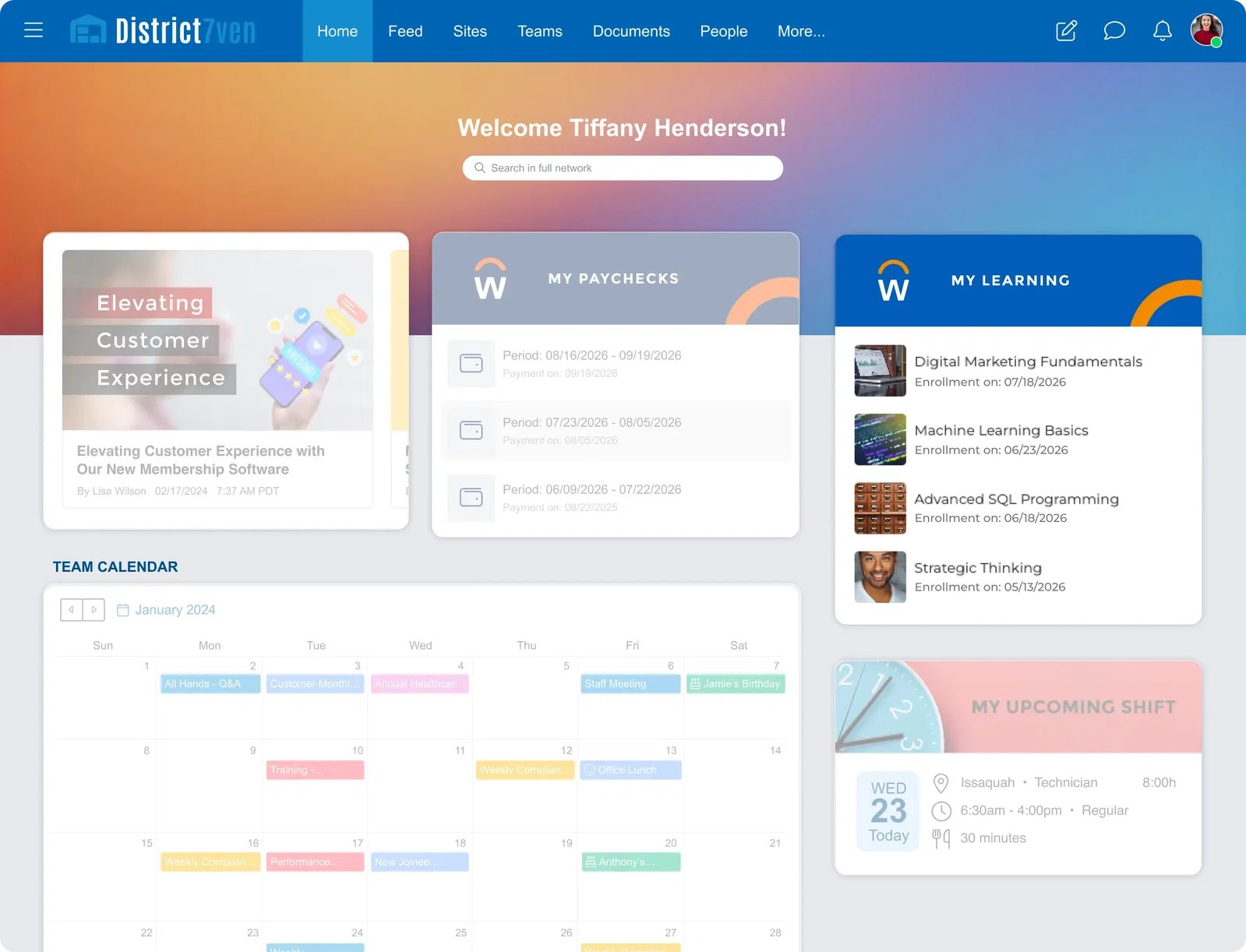
Employees with active Workday Learning assignments see them surfaced inside MangoApps — alongside the rest of their daily work. Course cards show the assignment name, due date, and an overdue indicator when deadlines have passed. One click launches the full course directly in Workday. Assignments don't fall off the radar because they live in a separate system.
- Surface active Workday Learning assignments inside MangoApps
- Course cards show name, due date, and overdue warnings
- Deep link to the course page in Workday to start the lesson
- Keeps training visible in employees' daily workflow
Benefits Information Employees Can Actually Find
The My Benefits widget surfaces each employee's active benefits coverage inside MangoApps — benefit name, coverage dates, enrollment details, provider information, and employee contribution amounts. No separate login. No portal navigation. HR teams field fewer "where do I find my benefits?" questions. Employees get the information when they need it, in the app they already use.
- Display active benefits for the logged-in employee
- Show coverage dates, enrollment info, and provider details
- Employee contribution amounts visible at a glance
- Configurable deep link to Workday for full benefit detail
- Respects Workday HR permissions per employee
How the Integration Works
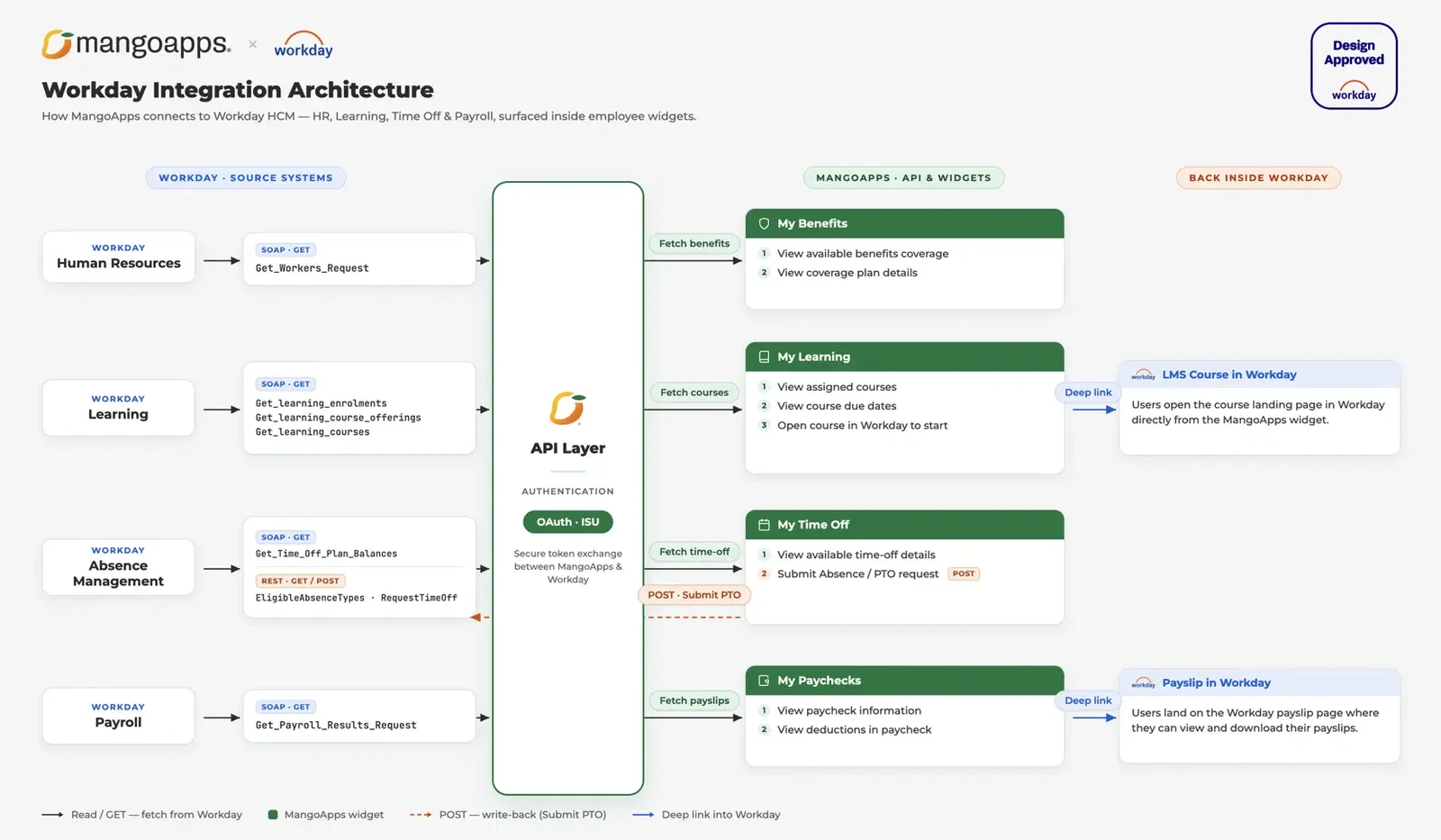
Workday modules connect to MangoApps widgets through a secure OAuth 2.0 channel — surfacing HR data in the app your employees already use, without changing how Workday is administered.
Built the Right Way
Four widgets. One certified integration. Zero passwords stored.
Workday Design Approved
This is a formal technical certification, not a self-reported partnership badge. Design Approved status requires meeting Workday's standards for integration design, data handling, authentication, and user experience before a listing appears in the Workday Marketplace.
OAuth 2.0 Authentication
MangoApps connects to Workday through secure, token-based OAuth 2.0 authentication. No passwords stored. Each connection is configured per tenant with your own Client ID, Client Secret, and token endpoints.
Web and Mobile
All four widgets work on both the MangoApps web portal and the MangoApps mobile app. Frontline workers accessing MangoApps from a phone get the same Workday data access as desk workers on a browser.
Employee-Specific Data
Every widget surfaces data for the logged-in employee only. Paycheck history, benefit coverage, learning assignments, and time-off balances all respect Workday HR permissions. No data from one employee's account is accessible to another.
Configurable by Admins
Each widget can be placed on dashboards, company pages, team pages, or news feeds inside MangoApps. Admins configure titles, display counts, deep link URLs, and visibility through a no-code settings interface.
Part of 200+ Integrations
Workday joins a broad integration ecosystem that includes Microsoft 365, Google Workspace, Salesforce, SAP SuccessFactors, and dozens of other HRIS, payroll, and productivity tools — all running on one platform under one identity and permission layer.
One of the amazing features of MangoApps is that you can personalize anything within the platform. So we’re making sure that we understand what our team members need to access on a regular basis, and personalizing the experience for them.

Chelsea Carbahal
VP, Community Impact and Public Affairs
Raley's Supermarkets


Available Now on the Workday Marketplace
MangoApps Workday Widgets are live and available to any joint customer of MangoApps and Workday. Visit the Workday Marketplace listing to learn more or get started with the integration.

Frequently Asked Questions
No. MangoApps surfaces Workday data inside the platform your workforce already uses daily. Workday remains the system of record for HR data. The integration extends that data to where employees are — reducing the need to log into Workday for routine tasks without changing how Workday is administered.
The integration includes four widgets: My Paychecks (payroll results), My Time Off (leave balances and absence requests), My Learning (active course assignments), and My Benefits (active benefits coverage). Each widget surfaces data for the logged-in employee only.
Yes, through the My Time Off widget. Employees can submit time-off requests directly from MangoApps and those requests write back into Workday in real time. The other three widgets are read-only, with deep links to Workday for employees who need to take further action.
MangoApps connects to Workday using OAuth 2.0. Admins configure the integration through MangoApps settings using their Workday Tenant ID, Client ID, Client Secret, and token endpoint. No passwords are stored.
Benefits, learning assignments, paychecks, and time-off balances all sync every 4 hours. My Time Off balances also refresh immediately after a request is submitted, so employees see an up-to-date balance right away.
Yes. Any MangoApps customer who also uses Workday can enable the integration. The widgets are available for deployment on both web and mobile.
The MangoApps Workday Widgets listing is live at the Workday Marketplace. Visit marketplace.workday.com/en-US/apps/822947/mangoapps-workday-widgets to view the listing or get started.
Let's Talk
Every team. Every employee. Every workflow. One AI platform — built for the frontline. Since 2008, trusted by 2 million+ users with an NPS of 78.
Why Choose Us?
- Frontline AI: Governed AI for every employee and workflow.
- Top Security: HITRUST, ISO & SOC 2 certified.
- Exceptional UX: Delightful on mobile and desktop.
- Proven Results: 98% customer retention rate.
Rolled out to every employee at AutoZone (125,000), PetSmart (50,000+), A.S. Watson and Raley's (20,000) — and at larger retailers we are not permitted to name.
