It is Sunday evening and a store manager is looking at next week. Two day-off requests are waiting. Last week's schedule needs to be copied forward. Saturday has a delivery, and someone needs to know. None of it is hard, but it means four screens, a dozen clicks and the nagging feeling that something will slip.
Typing one sentence into an assistant ("approve the two day-off requests for next week, copy last week's template, and note the Saturday delivery") sounds better. Most managers we talk to hesitate anyway, and the reason has nothing to do with whether the AI can do the work. They don't know what it will actually do. Will it approve the right two requests? Will it bypass the rules the scheduling page enforces? Will anyone be able to tell what changed?
Most of what we built at MangoApps this week answers that hesitation. The AI does more work, and it shows each change to a person before that change happens.
The card before the change
The biggest release of the week makes day-to-day scheduling something you can ask for. Employees can ask Ask AI to file, change or cancel a day off, an extra shift or a schedule change. Managers can approve or deny those requests, apply or duplicate schedule templates, add notes to a day and set hour targets. Administrators can manage shift labels, rule templates, minimum staffing by location and request periods.
The way it does this matters more than the list of things it can do. Before anything changes, Ask AI shows a confirmation card describing exactly what it is about to do. It follows the same permissions and rules as the scheduling pages, so an assistant manager can't approve something by asking that they couldn't approve by clicking. When a request isn't allowed, Ask AI explains why before it shows a card. It doesn't present an action and then fail on submit.
The same idea runs through other apps this week. When someone attaches a document in Ask AI and asks to file it in a library, the card drafts a title and description and lists only the libraries that person can add to. Nothing is saved until they choose Add to library. In App Builder, Ask AI can now make design changes to a mini app, and it shows exactly what will change before applying it. Every change, whether made by hand, with Edit with AI or through Ask AI, lands in a History tab with who made it and how. Restore to Before This previews what will come back before it does anything.
None of these steps are new as ideas. Version history, previews and permission checks are ordinary software hygiene. The point is that an AI action now goes through them the same way a click does. For a frontline manager, that is the difference between a demo they enjoy and a tool they will hand real work to.
Private by default, shared on purpose
The second habit that showed up across the week concerns who sees the AI's output. In a busy team channel, an AI summary posted to everyone can be noisy, wrong or simply unwanted.
Ask AI beside Chat starts from privacy. Summarize, Catch me up and Draft reply give you an answer that no one else sees, and Catch me up starts from the first message you hadn't read. If the summary would help the group, Post to thread shares it, and that is a deliberate choice you make. Use as reply puts a drafted reply in your message box and doesn't send it. The OneMango Desktop 1.0.135 release brings the same behavior to the desktop app and goes a step further. Asking @Ask AI for a catch-up in a shared conversation now offers to ask privately beside the chat instead.
AI Notepad got the same treatment. When meeting notes are ready, their action items wait for your OK before any of them becomes a task. People who prefer automatic sending can switch that on in Notepad settings. The default is that a person decides.
Leave is where the stakes are highest, and the week's leave releases carry the same principle into regulated territory. The new FMLA leave cases keep protected leave private everywhere. Managers and coworkers see the person, the dates, the status and "Leave of absence." They see no leave type, notes or documents, and the rule covers calendars, schedules, reports, approvals and Ask AI. An assistant that could tell a curious coworker why someone is out would be a compliance problem. This one follows the same privacy rule as everything else.
When an administrator sets company rules on a leave type, such as tenure, employment type, entitlement and how fast a decision should come, Ask AI answers from those settings for the person asking. "Am I eligible for parental leave?" gets an answer about that employee, drawn from the organization's own policy. It isn't a generic summary of the law.
Bringing outside assistants under the same rules
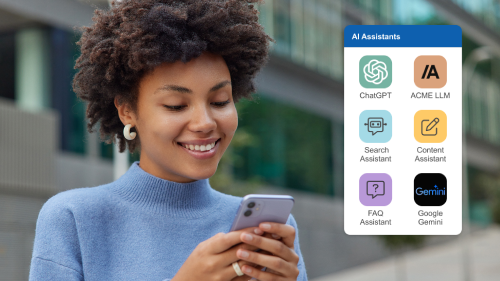
Many employees already use Claude or ChatGPT, whether or not IT has approved it. The practical question for IT is no longer whether people will use outside assistants. It is whether those assistants reach company data under clear rules or through copy and paste.
This week, connecting Claude or ChatGPT to OneMango became one click for administrators and for employees. The access model is the important part. When someone approves an assistant, they choose one of four levels: View only (the default), View and make changes, View, change and delete, or Choose app by app. No level ever includes sensitive data or administration rights. The Connectors table says in plain words what each assistant can do, and an administrator can limit one to certain apps or revoke it from the row's menu.
Starting at View only is a deliberate choice. An employee who connects Claude to ask about their schedule and remaining time off has no reason to let it change anything. If they later want it to file a request for them, they can raise the level knowingly.
The same reasoning applies where people already work. Ask AI in Microsoft Teams and Slack now returns the full answer, with tables, key figures and link buttons, instead of a short summary that sends you elsewhere to check it. When a regional HR lead asks for headcount by department, they can see the actual table and check the numbers.
What trust looks like in practice
Workforce AI is usually discussed in terms of capability: how many tasks it can do and how many clicks it saves. Those matter. On the frontline, though, the thing that holds adoption back is trust. A shift lead who once saw an AI approve the wrong request will go back to clicking, and they will tell their peers.
Trust gets built in small, repeated moments. A card shows what will change. A summary stays private until you share it. A draft sits in the reply box instead of going out. An outside assistant starts with read-only access. A protected leave stays protected even when someone asks an AI about it. None of these will make a headline, but together they decide whether a manager hands the Sunday-night schedule to Ask AI or does it by hand again.
There is one more piece. The Questions tab in Ask AI now counts searches that found nothing in Wikis and Libraries alongside the questions Ask AI couldn't answer, so knowledge managers can see where employees come up empty. A group appears only once enough different people have asked, and nobody's individual searches are shown. Being honest about where the AI falls short, and fixing the content behind it, is part of earning trust too.
The work isn't finished. Each app that learns to act by asking has to show the same card, follow the same rules and leave the same trail. This week, scheduling, leave, libraries, chat and App Builder all work that way.
The MangoApps team
We're the product, research, and strategy team behind MangoApps — the unified frontline workforce management platform and employee communication and engagement suite trusted by organizations in healthcare, manufacturing, retail, hospitality, and the public sector to connect every employee — deskless or desk-based — to the people, tools, and information they need.
We write about enterprise AI for the workplace, internal communications, AI-powered intranets, workforce management, and the operating patterns behind highly engaged frontline teams. Our perspective is grounded in a decade of building for frontline-heavy industries and shipping AI agents, employee apps, and integrated HR workflows that real employees actually use.
For short-form takes, product news, and field notes from customer rollouts, follow Frontline Wire — our ongoing stream on AI, frontline work, and the modern digital workplace — or learn more about MangoApps.