Feature Tour

How MangoApps Solves the Real Problems of Frontline Operations

Your operations can only run so smoothly on a tech stack cobbled together from legacy tools. MangoApps brings everything together in one platform designed specifically for shift-based work, replacing outdated tools with AI-powered, mobile-first solutions.

Smart, Fair Scheduling

Faster scheduling, fewer disputes, and better retention.

  • AI-driven schedule builder balances employee preferences, availability, skills, compliance, and business needs.
  • Fairness rules ensure even distribution of nights, weekends, and premium shifts.
  • Employees can request PTO, set availability, and submit preferences directly from mobile.
  • Open shifts and swaps are fully managed through a mobile marketplace with manager controls and auto-approval options.
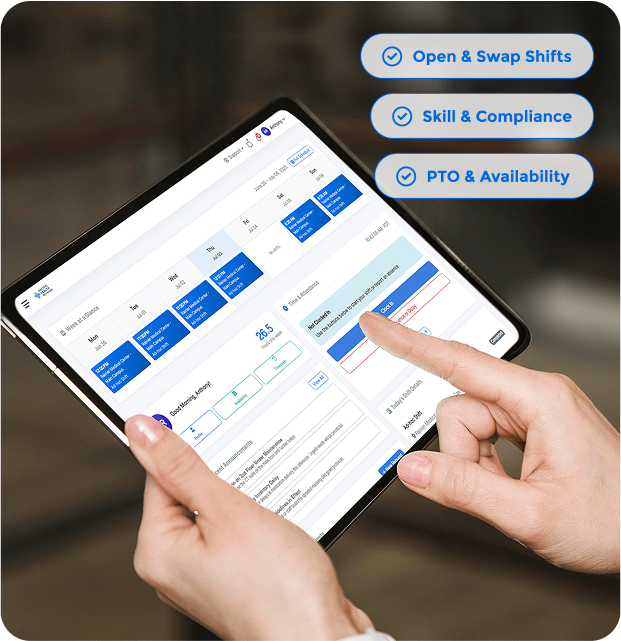
Hands holding and interacting with a digital scheduling app on a tablet, showing shift details and availability options.
Mobile time attendance app screen showing total hours with 36 regular and 2.4 overtime hours, timesheet entries for several days, and a clock in/out panel with options to clock in, report absence or delay, and view all.

Mobile Time & Attendance

Built-in intelligence. Real-world flexibility. Zero spreadsheets.

  • Clock in/out via mobile, desktop, or kiosk with optional geofencing, selfie verification, or IP rules.
  • Employees can review and attest to hours, reducing disputes and errors.
  • Automated timesheet approvals flag issues before payroll.
  • Attendance data flows back into scheduling logic to reward reliability.

Operational Apps

Digitize every workflow—tasks, SOPs, training, forms—without point solutions.

  • Operational apps live in the same platform employees use to check schedules and clock in.
  • No-code builder lets business users create apps for tasks, audits, forms, and checklists. No dev work needed.
  • Apps can be complex enough to capture even your most convoluted use cases, without having to justify spend on new systems or dev hours.
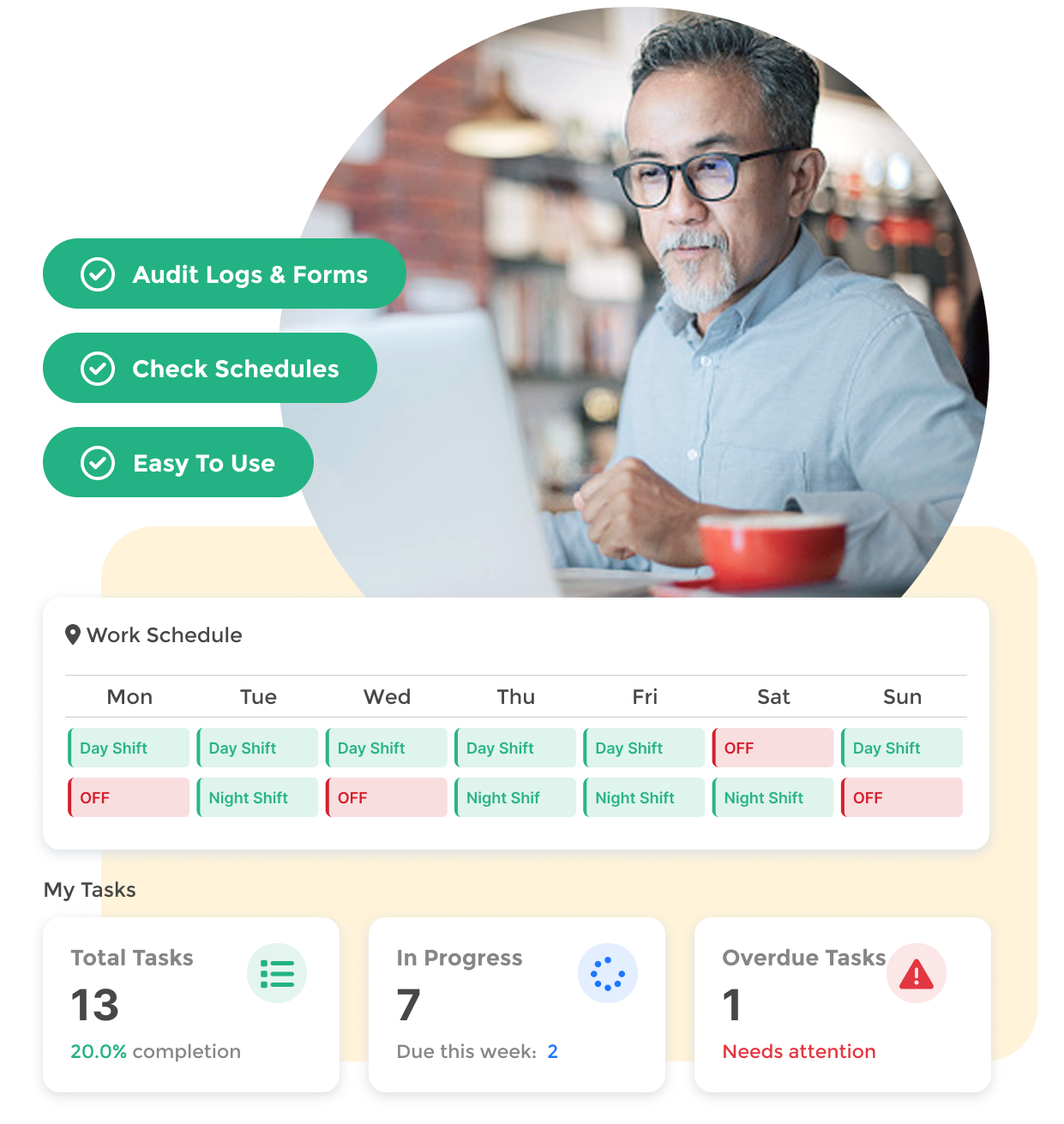
Man with glasses working on a laptop next to a work schedule and task summary showing total tasks, tasks in progress, and overdue tasks needing attention.
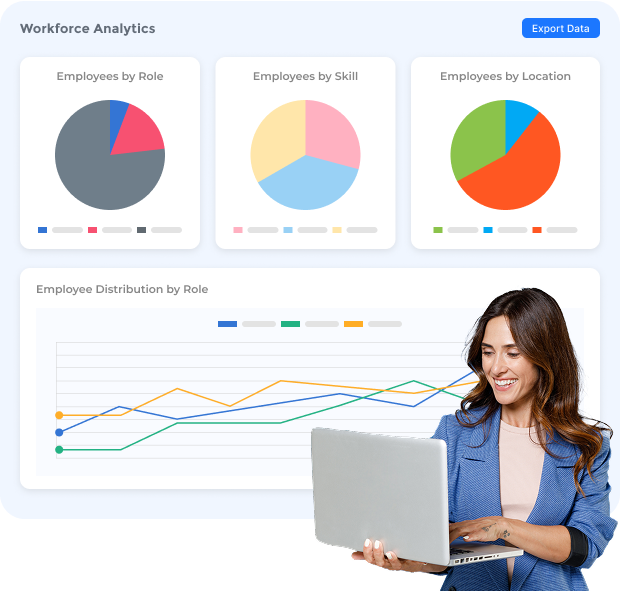
Dashboard showing workforce analytics with three pie charts for employees by role, skill, and location, and a line graph of employee distribution by role; a smiling woman holding a laptop is in the foreground.

Workforce Analytics

Turn operations data into strategic advantage.

  • Live dashboards for absenteeism, overtime, coverage gaps, and contingent labor usage.
  • Track fairness in scheduling and time-off distribution.
  • Performance scoring blends skills, attendance, and reliability to inform scheduling and reviews.
  • Predictive insights help forecast staffing needs, spot signs of burnout early enough to act, and reduce costly last-minute changes.

Built-In Compliance

Automated compliance keeps everything above board without manual effort, reducing errors and legal exposure.

  • Schedule builder automatically enforce labor laws, union agreements, and internal policies.
  • Credential and certification tracking alerts you before expirations.
  • Timekeeping rules (rounding, grace periods, rest windows) are fully configurable.
  • Every action taken in the system—schedule edits, approvals, clock-ins—is logged with a full audit trail.
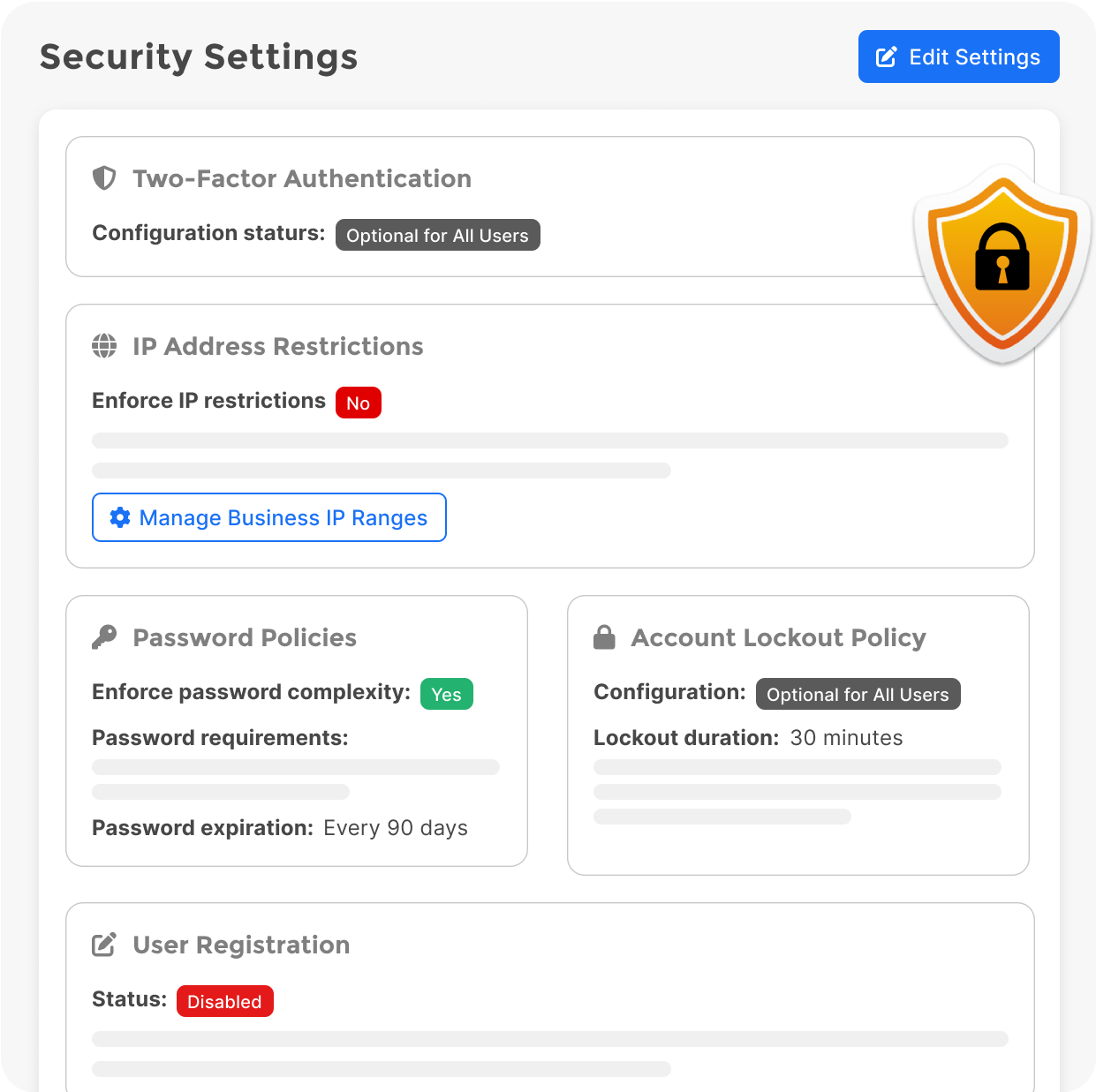
Security Settings panel showing Two-Factor Authentication as optional, IP Address Restrictions disabled, password complexity enforced with 90-day expiration, account lockout policy optional with 30-minute duration, and user registration disabled.
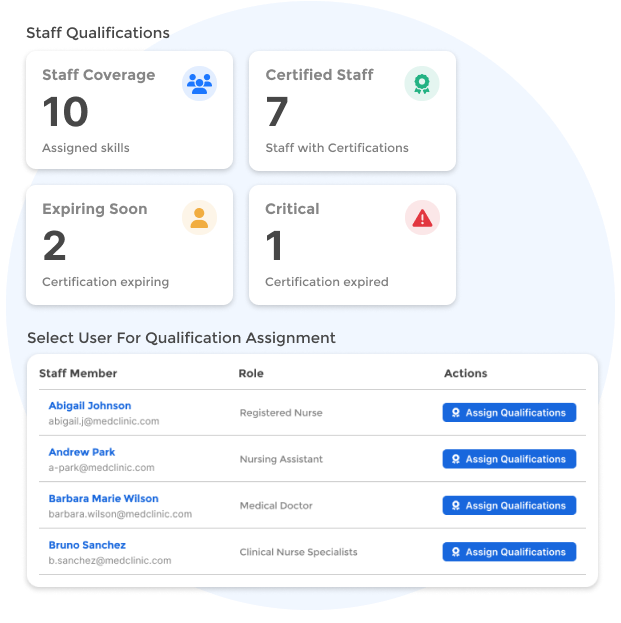
Dashboard showing staff qualifications: 10 assigned skills, 7 certified staff, 2 expiring soon, 1 critical expired certification; table listing staff members Abigail Johnson, Andrew Park, Barbara Marie Wilson, and Bruno Sanchez with roles and assign qualifications buttons.

Skills & Certification Management

Right person. Right shift. Every time.

  • Skills and certifications are built into scheduling logic.
  • Employees are matched to shifts based on qualifications and recency of training.
  • Managers can see where skill gaps exist and plan hiring or cross-training accordingly.
  • Supports development by tying skills to shift eligibility and scheduling outcomes.

Mobile-First Employee Experience

Built-in intelligence. Real-world flexibility. Zero spreadsheets.

  • Consumer-grade mobile app centralizes schedule, clock-in, tasks, timecards, messages, and more.
  • Built-in virtual assistant lets employees ask questions, request shift changes, or get updates instantly.
  • Simple widget-based dashboard puts the most important information front and center, giving each employee a simple, personalized experience.
Man in black apron using smartphone, with an overlay showing staff schedules and employee info for Sammy W. and Thomas J.
Stack of three blue layered squares with a gear icon on the top layer, symbolizing technology or software.

Why It All Matters

MangoApps is designed around how frontline work actually gets done. When everything runs through a single system, your teams stay longer, execute better, and cost less to run.

By submitting this form, you agree to MangoApp’s Privacy Policy.
Thank you! Your submission has been received!
Oops! Something went wrong while submitting the form.

Book a Meeting!

For 15+ years, we've perfected our product, earning the trust of 1 million+ users and an NPS of 78.

Why Choose Us?

  • Superior Product: 15 years of R&D
  • Top Security: HITRUST, ISO &  SOC 2 certified.
  • Exceptional UX: Delightful on mobile and desktop.

Trusted by Legendary Companies:

Grid of six company logos with employee and associate numbers: AutoZone with 125,000 employees and 7,000+ stores; PetSmart with 50,000+ associates; Alorica with 100,000+ employees; AS Watson with 125,000+ employees and 16,100+ stores; YMCA with 50,000+ employees; TEAMHealth with 25,000+ employees.