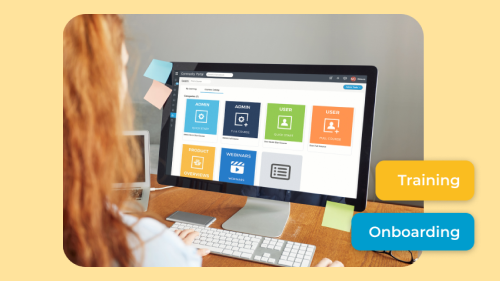
When it comes to digital collaboration, online user groups stand as dynamic hubs where like-minded individuals come to share insights and cultivate community. With MangoApps Community Suite, businesses not only create but also manage online user groups for their clients. In this post, explore the best practices for building and nurturing essential online customer communities — and learn how your organization can effectively deepen customer relationships, reduce churn, and encourage innovation through structured employee engagement.
Define Clear Objectives and Themes
Before diving into the creation of user groups, it's crucial to define clear objectives and themes. What is the purpose of the group? What topics or interests will it cover? By establishing a clear focus, businesses ensure that their user groups attract the right audience and facilitate meaningful discussions. Is your digital customer community strictly for discussing product issues and enhancements? Or, will there be forums for socializing and collaboration? With clear objectives and themes, your clients are more likely to accept invitations to these groups.
For distributed and frontline teams — who make up roughly 80% of the global workforce, per Emergence Capital — clear group charters are especially important because members may be joining from personal iOS or Android devices with no corporate email or VPN required. MangoApps Community Suite supports this mobile-first access model, ensuring that deskless and remote participants are never excluded from the conversation.
Interactive Features For User Groups
MangoApps Community Suite provides a suite of interactive features to enhance user engagement within groups. Utilize the platform's annotation tools, video capabilities, communication spaces, and easy sharing options to create a vibrant and interactive space. These spaces allow users to collaborate effectively. Letting customers pitch ideas and voice opinions on your product in a safe, encouraging space allows your employees to grow and improve your product — all while establishing lifelong client relationships.
AI-powered content personalization takes this further: rather than requiring members to self-navigate every channel, MangoApps surfaces relevant group content to each member automatically based on role, location, and activity history. This matters because employees already lose over four hours per week switching between disconnected systems (per MangoApps product pages), and a unified, personalized feed directly reduces that friction. Organizations exploring the broader employee experience platform model will recognize this as a core design principle of modern community spaces.
Encourage Active Participation
A successful online user group hinges on active participation. Encourage members to share their insights, ask questions, and contribute to discussions. With segmented communications and collaboration spaces, users have the option to take part in whatever groups or discussions are most relevant to their needs. Plus, MangoApps Community Suite's user-friendly interface makes it easy for members to actively engage with content, fostering a sense of community.
The participation gap is real: per Social Edge Consulting, nearly a third of employees never log in to their organization's intranet, and only 13% use intranet tools daily. Structured user groups with clear themes, regular prompts, and event-based touchpoints are among the most reliable ways to move members from passive observers to active contributors. Branded, mobile-first community access — without requiring a corporate email address — is particularly effective for reaching frontline and geographically dispersed customer segments.
Implement Smart Moderation Practices
Maintain a positive and productive atmosphere within user groups by implementing smart moderation practices. Designate moderators to facilitate discussions, ensure adherence to group guidelines, and address any issues that may arise. MangoApps Community Suite allows for efficient moderation, ensuring a smooth and well-managed user group experience.
Practical moderation steps that reduce conflict and keep groups productive:
- Publish a short community charter (3–5 rules) pinned at the top of every group so expectations are visible from day one.
- Assign at least two moderators per active group so coverage is maintained across time zones — critical for geographically dispersed customer communities.
- Use MangoApps' role-based permissions to give moderators the ability to hide, flag, or escalate posts without requiring admin-level access.
- Schedule a monthly moderator sync to review flagged content trends and update guidelines before problems escalate.
- Create a private moderator channel where your team can discuss sensitive issues without surfacing them to the broader community.
For organizations managing large or unionized workforces, moderation policies often need to align with labor relations guidelines — a nuance covered in depth in Managing a Unionized Workforce Is Different. Your Software Should Be Too.
Organize and Promote Events Within User Groups
Hosting events within user groups adds a layer of excitement and purpose. Whether it's webinars, Q&A sessions, or virtual meetups, MangoApps Community Suite's features enable businesses to organize and promote events. These events enhance engagement and provide valuable opportunities for community members to connect. Events are great ways to get your customers involved with each other and excited about the product.
For retail and hospitality organizations managing distributed customer communities, in-platform events also serve as low-cost alternatives to in-person gatherings. The 2026 Internal Communications Trends eBook highlights event-based engagement as one of the fastest-growing tactics for keeping remote and frontline audiences connected to brand initiatives.
Utilize Analytics for Insight
MangoApps Community Suite's analytics provide valuable insights into user engagement and group dynamics. Leverage these analytics to understand which topics resonate most with your audience, identify active contributors, and refine your strategies for building and managing user groups. These insights will show you how your customers like to interact, when they feel the need to visit your online community, and what types of discussions they engage with.
Key metrics worth tracking in your community analytics dashboard:
- Daily and weekly active users (DAU/WAU): Benchmark against the industry baseline — per Social Edge Consulting, only 13% of employees use intranet tools daily — so you know whether your community is outperforming or underperforming the norm.
- Content contribution rate: What percentage of members post, comment, or react versus lurk? A healthy community typically sees 10–20% of members generating content.
- Search-to-find ratio: If members are searching frequently but not finding answers, your knowledge base needs expansion. Per IDC, employees spend an average of 2.5 hours per day searching for information — a cost your community should be actively reducing.
- Event attendance and replay rates: Low attendance signals scheduling or promotion problems; low replay rates suggest content relevance issues.
- Moderation escalations per month: A rising trend here is an early warning sign of community health problems before they become visible in churn data.
For a broader view of how engagement metrics connect to business outcomes, Gallup's 2026 State of the Global Workplace: What It Means for HR provides useful benchmarks for contextualizing your community data against workforce-wide engagement trends.
Create a Knowledge Base For User Groups
Build a repository of valuable information within your user groups using MangoApps Community Suite's knowledge base capabilities. This not only serves as a resource for members but also contributes to the long-term value and sustainability of the community. Having easily accessible information and content regarding your product, updates, release notes, and more makes it a breeze for customers and employees alike to stay on top of improvements, creating a valuable resource repository folks can visit for years to come.
A well-structured knowledge base also directly addresses one of the most quantifiable costs in community management: information search time. Per IDC, employees spend 2.5 hours per day searching for information — time that a searchable, well-tagged knowledge base can meaningfully reduce. For organizations in knowledge-intensive sectors, this is where community investment translates most directly into productivity gains. The Enabling Easy Communication at the American College of Radiology case study illustrates how a centralized knowledge resource reduced information bottlenecks across a distributed professional membership.
What Is the ROI of Investing in Online User Groups?
The business case for customer community investment is increasingly quantifiable. Replacing a frontline employee costs between $4,400 and $15,000 (per industry reports cited on MangoApps product pages), which means community-driven retention is a measurable financial priority — not just a culture initiative. When customers feel connected to a product community, they churn less, escalate fewer support tickets, and generate more peer-to-peer referrals.
At the workforce level, British Airways achieved a 30-point engagement score increase after deploying a unified employee experience platform. TeamHealth consolidated 200+ enterprise systems into a single mobile dashboard, illustrating the scale of integration that a unified community platform can support. Branded, mobile-first community access — without requiring corporate email or VPN — has enabled healthcare and retail organizations to achieve 87–90% workforce engagement within the first few months of launch, per MangoApps case studies including OU Health, Kansas City Chiefs, and PetSmart.
For organizations evaluating employee engagement software options, MangoApps Included in Leading Research Firm's Intranet Platforms Evaluation provides independent third-party context on how the platform compares across community and engagement dimensions.
How Do I Extend Community Engagement to Frontline and Remote Members?
Geographically dispersed and deskless workers represent roughly 80% of the global workforce, per Emergence Capital, yet most community platforms are designed around desk-based, email-connected employees. MangoApps Community Suite addresses this directly: members can join, participate in, and contribute to user groups from personal iOS or Android devices with no corporate email address or VPN required.
For industries where frontline access is the norm — retail, hospitality, nonprofit, and BPO — this mobile-first architecture is not a nice-to-have; it is the difference between a community that reaches your full customer base and one that reaches only the 13% who log in daily (per Social Edge Consulting). Segmented group structures allow you to create role-specific or location-specific communities within the same platform, so a retail associate in one region sees content relevant to their context while a corporate buyer sees something entirely different.
Organizations in these sectors can explore how MangoApps applies to their specific workforce context through the industries/retail and industries/hospitality solution pages.
Putting It All Together: A Definitive Action Plan
Building an engaging online user group with MangoApps Community Suite is not a one-time setup task — it is an ongoing operational discipline. Here is what the evidence points to as the highest-leverage actions:
- Start with a written group charter that defines purpose, audience, and participation norms before you invite a single member.
- Enable mobile-first access from day one so frontline and remote members are not excluded by device or credential requirements.
- Assign and train moderators using the five-step framework above, and give them the platform permissions they need to act without escalating every issue.
- Track the five analytics metrics listed in the analytics section above — DAU/WAU, contribution rate, search-to-find ratio, event attendance, and moderation escalations — on a monthly cadence.
- Build the knowledge base before you need it, not after members start asking the same questions repeatedly. Per IDC, 2.5 hours per day in search time is the cost of not doing this.
- Quantify your ROI using retention cost data ($4,400–$15,000 per frontline replacement) and engagement lift benchmarks (30-point score increases are achievable) so community investment competes on equal footing with other budget priorities.
Organizations that follow this plan consistently report that their customer communities shift from passive support channels into active product development and retention engines — a transformation that shows up in both engagement scores and bottom-line retention metrics. For teams looking to connect community strategy to broader workforce development goals, Why Your Learning and Development Strategy Fails (and How to Fix It) offers a complementary framework for embedding engagement into daily work rather than treating it as a separate initiative.
The MangoApps Team
We're the product, research, and strategy team behind MangoApps — the unified frontline workforce management platform and employee communication and engagement suite trusted by organizations in healthcare, manufacturing, retail, hospitality, and the public sector to connect every employee — deskless or desk-based — to the people, tools, and information they need.
We write about enterprise AI for the workplace, internal communications, AI-powered intranets, workforce management, and the operating patterns behind highly engaged frontline teams. Our perspective is grounded in a decade of building for frontline-heavy industries and shipping AI agents, employee apps, and integrated HR workflows that real employees actually use.
For short-form takes, product news, and field notes from customer rollouts, follow Frontline Wire — our ongoing stream on AI, frontline work, and the modern digital workplace — or learn more about MangoApps.